Larvyn + Flock: every app and every agent at its own .test URL
Larvyn now works with Flock, the free local PHP environment: .test domains with HTTPS, PHP per project, and a URL for every AI agent’s worktree.
 Ivan Mercedes··5 min read
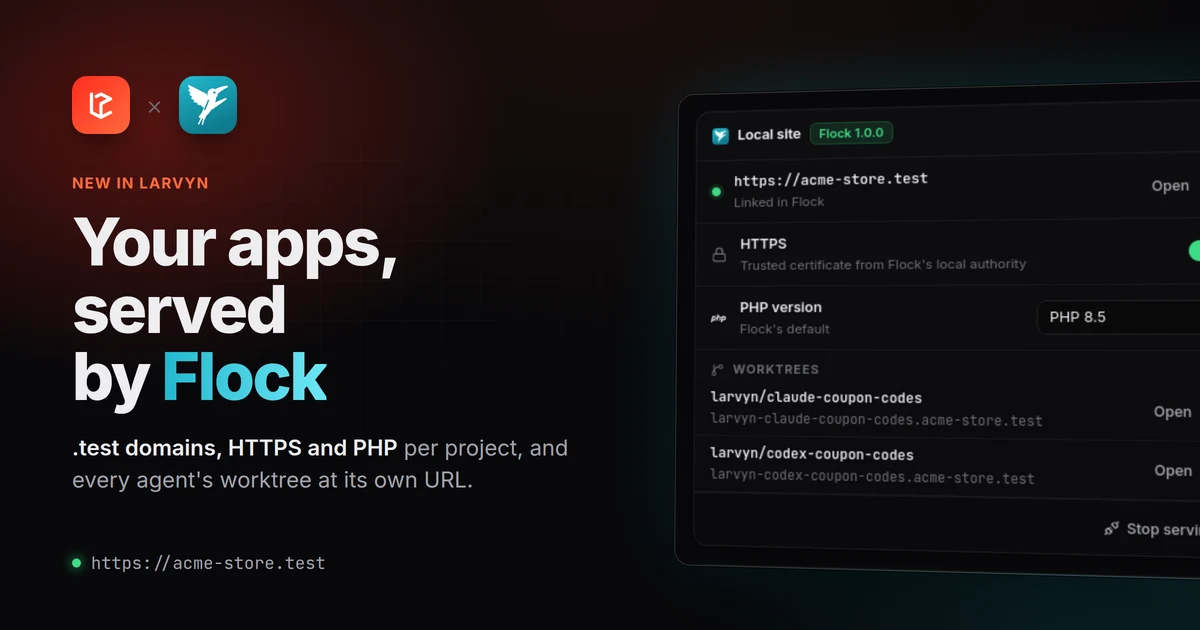
Flock is a free, open source local PHP environment for Windows, macOS and Linux. It runs PHP, Node, databases and *.test sites with trusted HTTPS on your machine, without Docker. Larvyn now works with it: install Flock and your Laravel apps get a real domain, a PHP version of their own and HTTPS that just works, all from inside Larvyn.
Flock support ships in Larvyn v0.1.0-beta.9, and it’s optional. If you don’t install it, Larvyn looks and works exactly as before. If you do, it shows up where it helps and stays out of the way everywhere else.
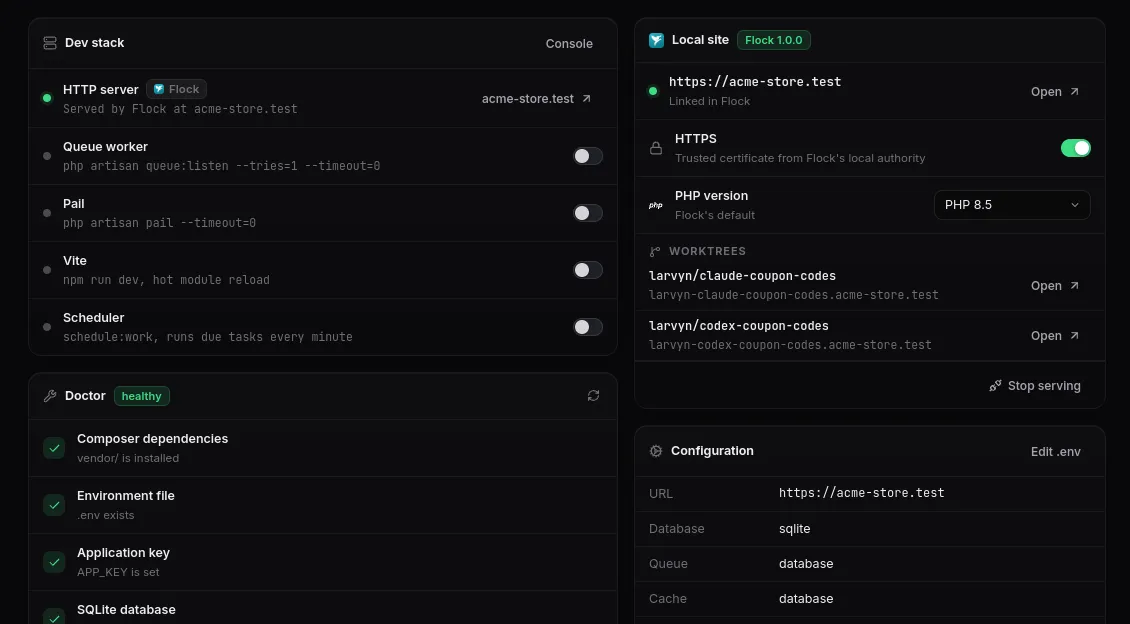
The Overview with Flock: the app is served at its own domain, and the dev stack only runs what Flock doesn’t.
From artisan serve to a real domain
Without a local server, Larvyn runs php artisan serve on a port for you. That works, but localhost:8000 is not much like production: no HTTPS, one port per app, and cookies, subdomains and OAuth callbacks that behave differently.
When Flock is installed, the Overview gets a Local site card. One click on Serve and the app is at <folder>.test:
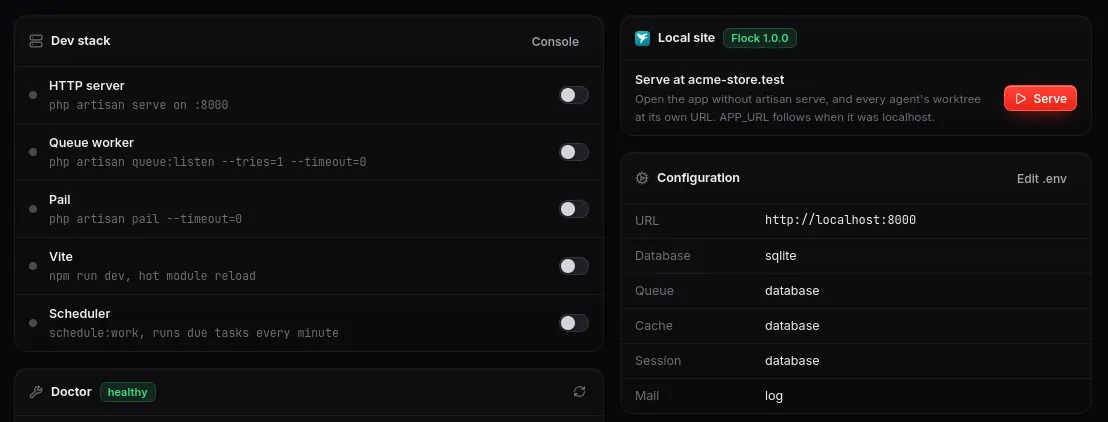
Before: artisan serve on a port, and one button to serve the app with Flock.
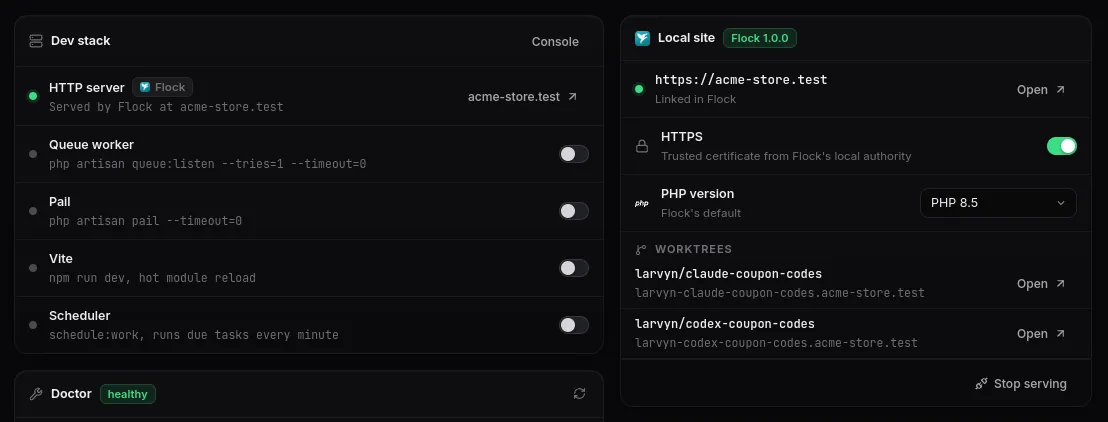
After: Flock serves the app at https://acme-store.test, and the dev stack hands the HTTP server over to it.
Larvyn also points APP_URL at the new address, because Laravel builds links, redirects and Vite’s URLs from it. It only does that when APP_URL was still empty or localhost, and it backs up your .env first. A URL you chose yourself is never overwritten; the Doctor tells you about the difference instead and fixes it with one click if you want.
Apps you add to Larvyn later are served by Flock right away. You get a short notice with their URL, and there’s a setting to turn this off.
Everything about the site, in one card
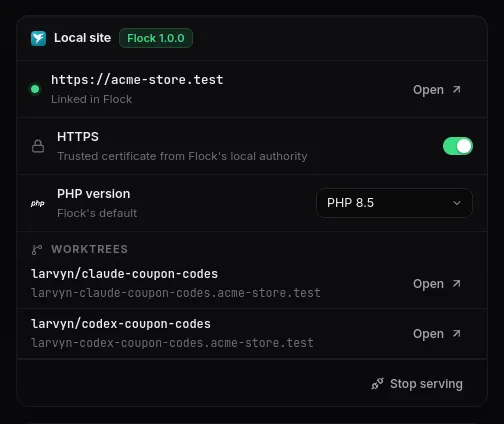
The Local site card, once Flock serves the app.
- HTTPS is a switch. Flock serves the site with a certificate from its own local authority, which your system and browsers already trust, so there is no warning page.
APP_URLfollows tohttps://. - PHP version is a picker. Choose any version and Flock uses it for this app only, on your machine, without touching the project’s files. If you pick one Flock doesn’t have yet, Larvyn downloads it through Flock and shows the progress in the card.
- Worktrees lists every git worktree of the app with its own URL (more on that below).
- Stop serving hands the app back to
artisan serveand putsAPP_URLback the way it was.
If Flock isn’t set up yet, the same card offers Set up, which runs Flock’s setup in Larvyn’s console. If its service is stopped, the card offers Start, which doesn’t ask for a password. While the card is on screen, Larvyn also notices within a few seconds when you start, stop or change Flock outside Larvyn, from its own app or its flk command.
Every agent gets its own URL
This is the part we’re most excited about. In Larvyn you can give one task to several coding agents at once, such as Claude Code, Codex, Cursor Agent or OpenCode. Each one works in its own git worktree, on its own larvyn/<task> branch. Until now, comparing their results meant reading diffs.
Flock serves every git worktree of a site at its own subdomain. So when Larvyn starts an agent in a worktree, that attempt is live at its own address right away:
| Attempt | Branch | URL |
|---|---|---|
| Your app | main |
https://acme-store.test |
| Claude Code | larvyn/claude-coupon-codes |
https://larvyn-claude-coupon-codes.acme-store.test |
| Codex | larvyn/codex-coupon-codes |
https://larvyn-codex-coupon-codes.acme-store.test |
Flock also sets each worktree up: it installs Composer and npm dependencies, adjusts the .env for the new URL and gives Redis, the cache and Horizon their own prefixes so attempts don’t take each other’s jobs. Since Flock already does all of that, Larvyn skips its own installs there so the two don’t race.
Each agent card in Larvyn gets a 🌐 button that opens its attempt in the browser. Click through each version, keep the one that works best, and merge it.
What Flock covers, and what Larvyn still runs
Flock replaces artisan serve. It doesn’t run your other dev processes, so Start dev stack still starts them, just without the HTTP server:
| Process | With Flock |
|---|---|
| HTTP server | Served by Flock at <folder>.test, all the time |
| Vite | Run by Larvyn. On an HTTPS site, when Vite runs through Flock’s npm, Flock hands it the site’s certificate, so hot reload works over HTTPS too |
| Queue worker or Horizon | Run by Larvyn |
| Scheduler, Pail, Reverb | Run by Larvyn |
The sidebar, the command palette and the Overview all show the HTTP server as served by Flock, with its URL, rather than offering to start artisan serve on another port.
Going back is one click
Stop serving the app in the card and Larvyn puts back the APP_URL it had before, so artisan serve works again right away.
If Flock itself is stopped, Larvyn doesn’t rewrite your .env behind your back. Otherwise every restart of Flock would flip your .env back and forth. Instead, the card offers Use artisan serve and the Doctor offers Restore, and either one puts the original APP_URL back.
Optional by design
Nothing about Flock appears until Flock is installed: no card, no setting, no badge. Larvyn still detects Laravel Herd and Valet as before. If you use Flock but would rather serve apps yourself, one setting stops Larvyn from serving the apps you add:

Settings → Flock appears only once Flock is installed.
Under the hood, Larvyn reads Flock’s local API for the state of your sites and makes changes through Flock’s own flk command, exactly as you would type them. Flock stays the source of truth, and you can keep using its app and CLI alongside Larvyn.
Get started
- Install Flock from flockphp.com/download and run its setup.
- Open Larvyn and go to a Laravel project’s Overview.
- Click Serve in the Local site card.
Your app is now at https://<folder>.test, and the next time you give a task to a few agents at once, each attempt will have a URL of its own.
Thanks to the Flock team at Guava for building such a solid local environment and documenting its CLI and API so well. Flock is a trademark of Guava s.r.o., and Larvyn isn’t affiliated with it.