Your whole Laravel workflow.
One native app.
Larvyn puts persistent terminals, parallel AI coding agents and every Laravel tool you reach for (Artisan, routes, models, database, Tinker, tests, queues and logs) into one fast desktop app.
Your Next.js, Go or Python repos get the same terminals, agents and git. Any project works
Built for the Laravel ecosystem and the agents you already use
 Laravel 10–13
 Herd
 Flock
 Pest

 Livewire
 Inertia
 Filament
 Horizon
 Reverb
 Octane
 Vite
 Tailwind
 Claude Code
 Codex
 Antigravity CLI
 Cursor Agent
 OpenCode
 Aider
 Pi
 MySQL
 PostgreSQL
 SQLiteLaravel 10–13HerdFlockPestLivewireInertiaFilamentHorizonReverbOctaneViteTailwindClaude CodeCodexAntigravity CLICursor AgentOpenCodeAiderPiMySQLPostgreSQLSQLite
Terminals, agents and Laravel. Finally in the same window.
Stop juggling a terminal app, an agent manager, a database client, a log viewer and five browser tabs. When the folder is a Laravel app, Larvyn knows it and builds everything around that.
Terminals that stay alive
Real PTY sessions per project. They keep running when you switch views, keep 1 MB of scrollback and tell you when something needs attention.
- Colors, links, search and resize
- Bell alerts and activity markers
- A console drawer for every command you run
Agents in parallel
Send one task to several agents at once. Each works in its own git worktree, so nothing collides. Compare the diffs and merge the best one.
- Seven agent CLIs supported
- .env and SQLite copied into each worktree
- Live status: working, waiting, done
Laravel, natively
Larvyn boots your app to read real data: routes, models, config, schedule, failed jobs and your database, through your own connection.
- 12 dedicated Laravel views
- Tests and logs that link to the line
- One switch starts the whole dev stack
Built for Laravel. Ready for the rest of your repos.
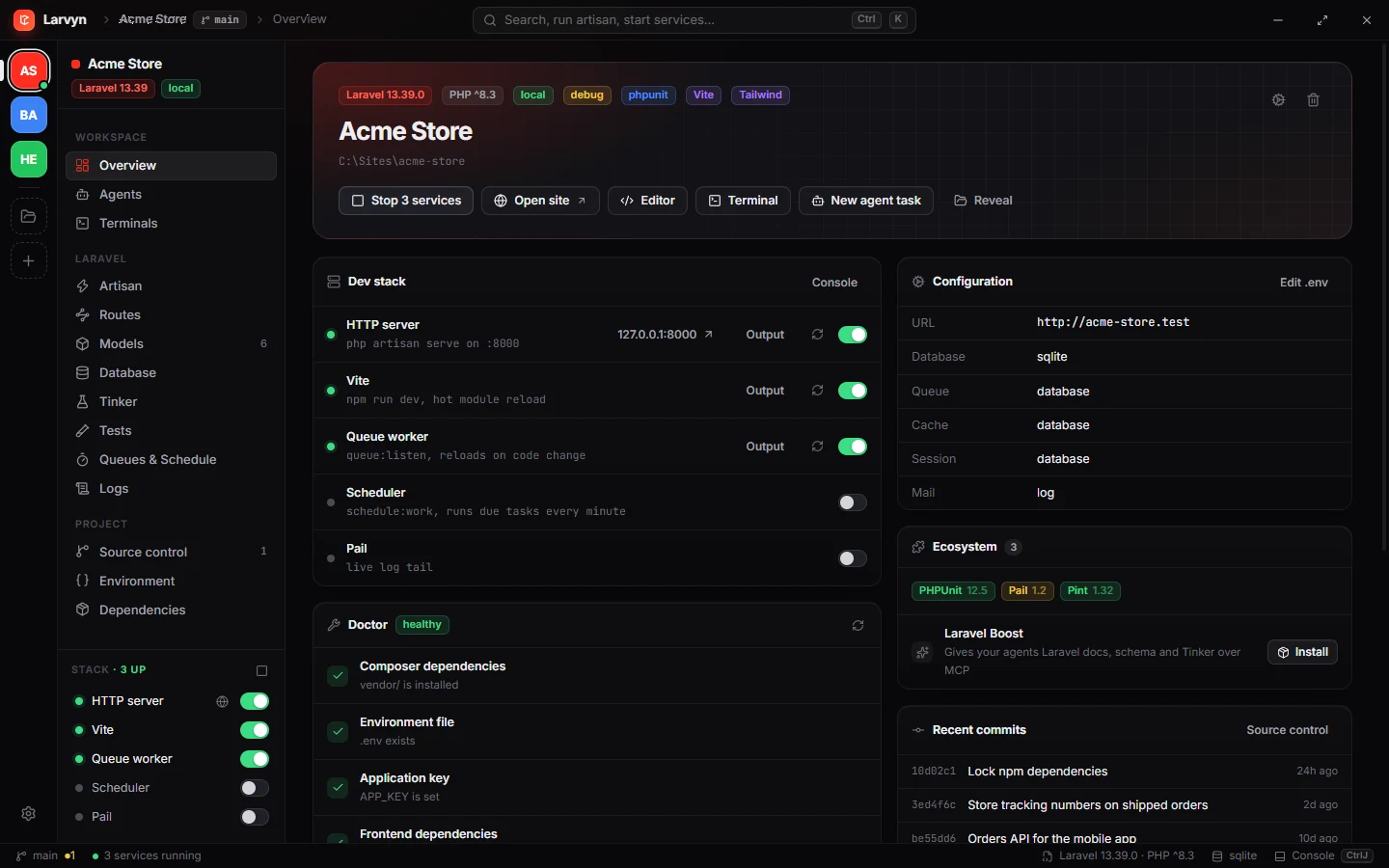
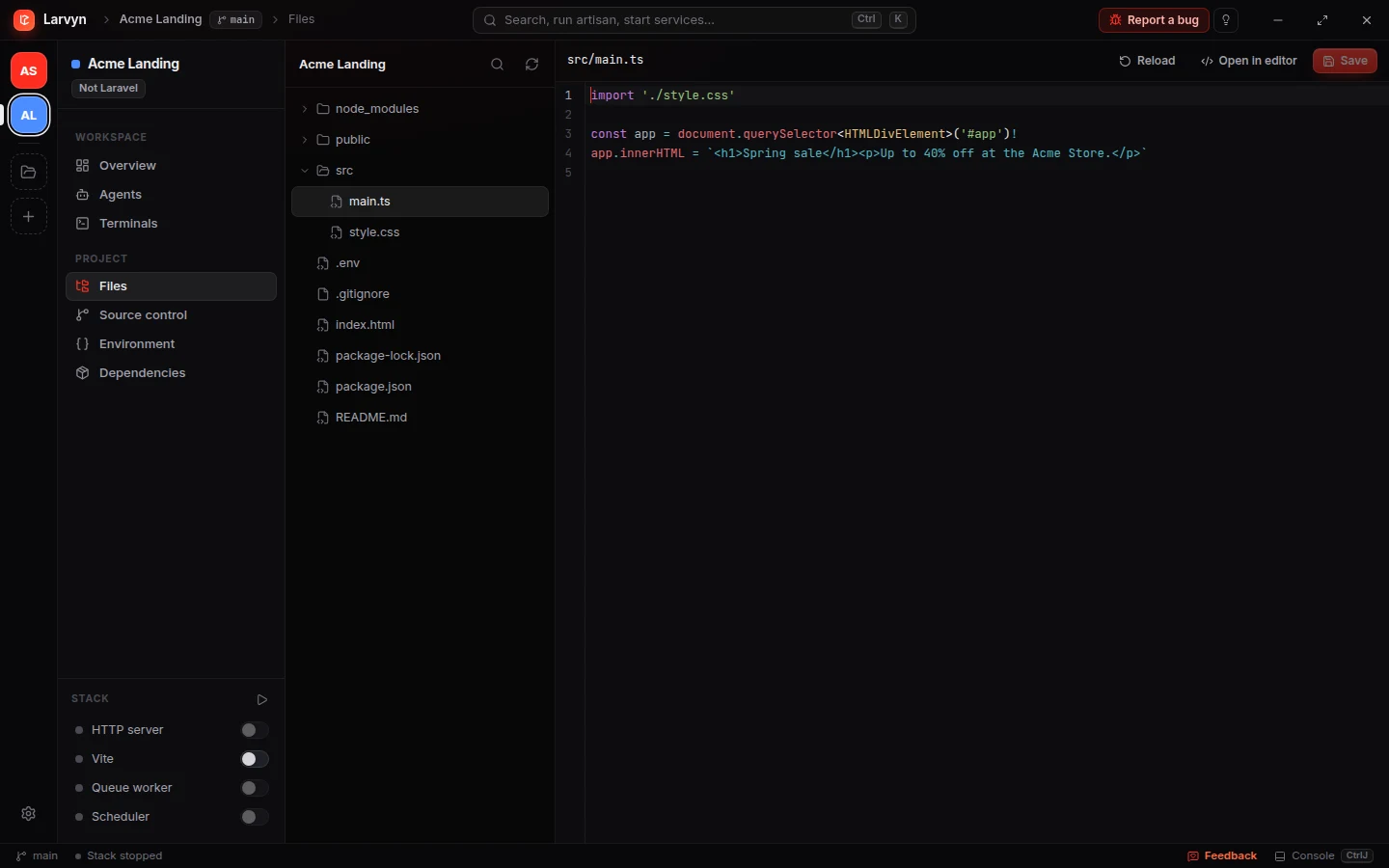
The API is Laravel, the front end is Next.js and there’s a Go worker on the side. Add each folder to Larvyn. The ones that aren’t Laravel are marked Not Laravel, the Laravel views step aside, and the workbench stays.
-
Terminals and parallel agentsPersistent terminals, and every agent in its own git worktree and branch, whatever the language.
-
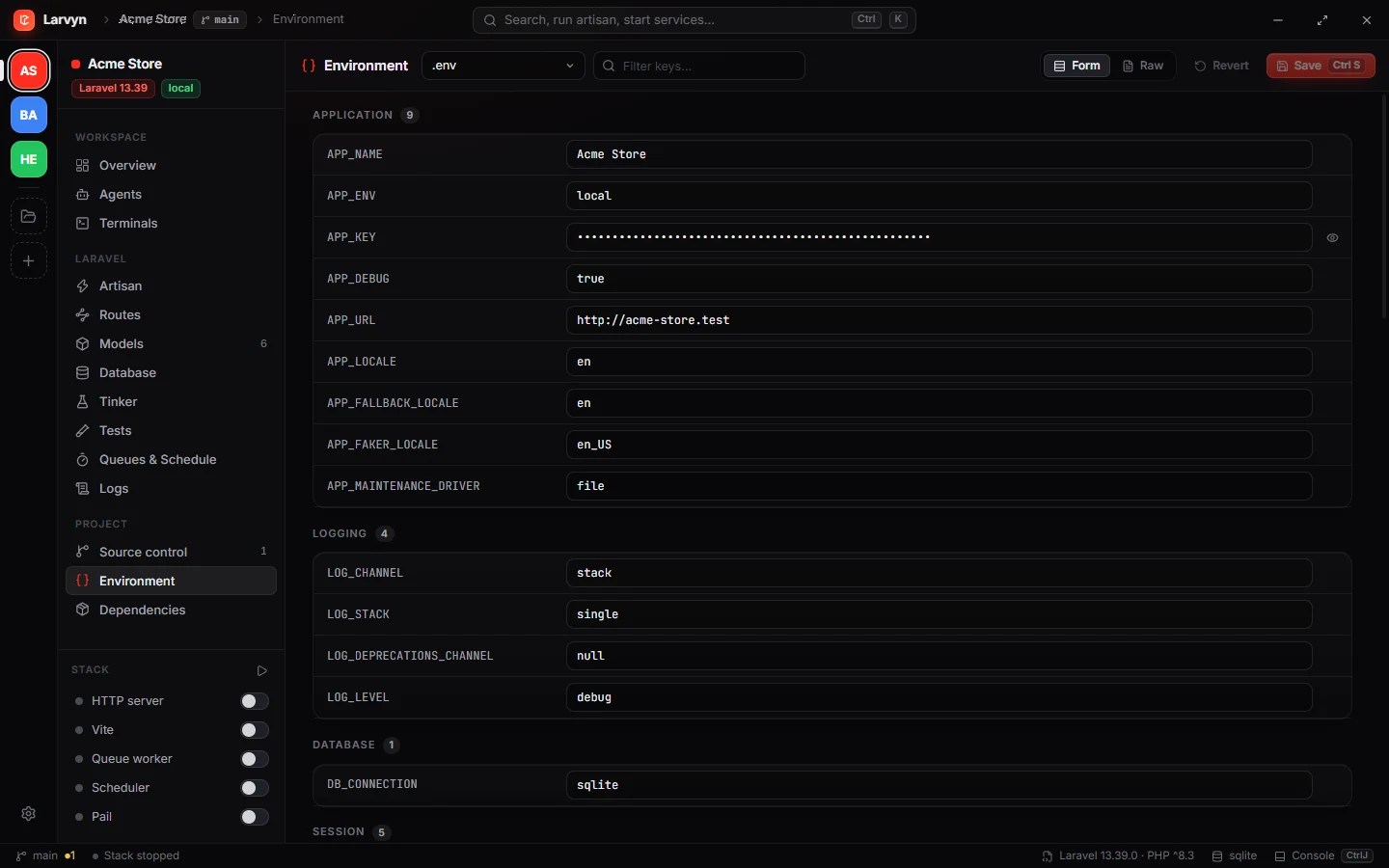
Files, git and .envThe editor and Ctrl P finder, source control, and .env edits with a backup first.
-
Your dev server in the Stack
npm run devstarts from the switch whenpackage.jsonhas a dev script. Plugins add anything else.
Everything a Laravel app needs, one click away.
Real screenshots of Larvyn working on a sample store app.
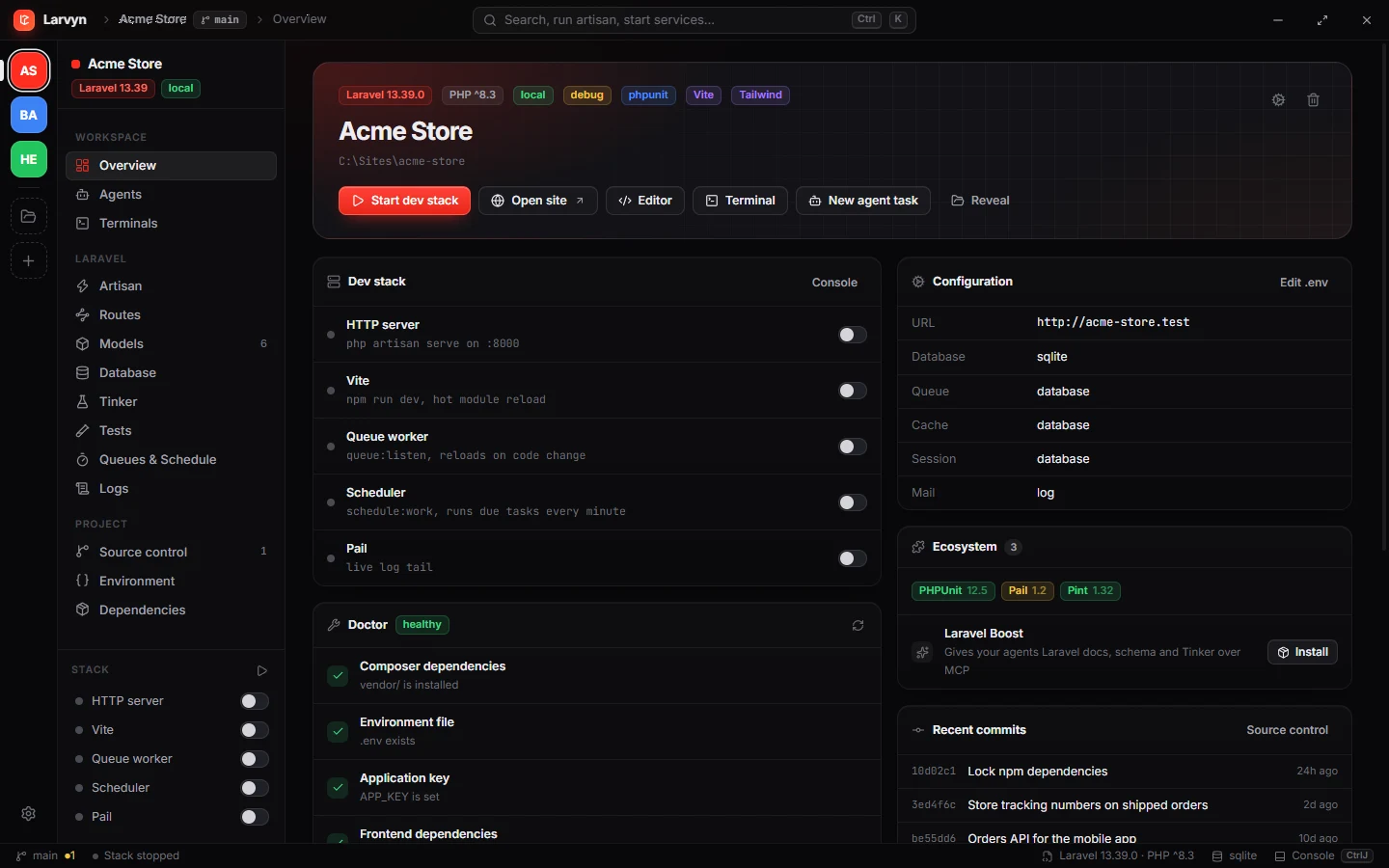
Your project at a glance. Versions, packages, .env facts, recent commits, a Doctor that checks your setup, and the whole dev stack one switch away.
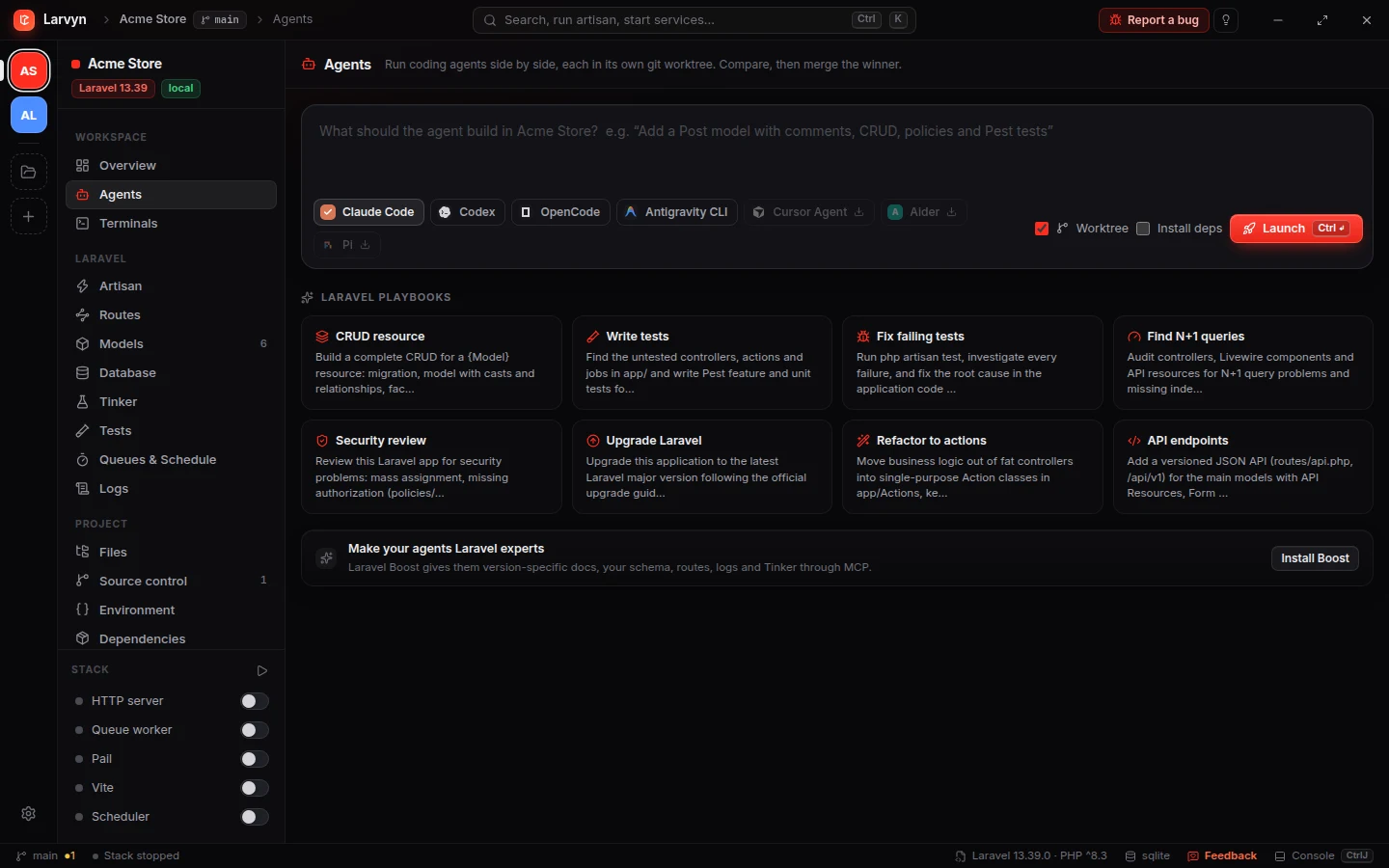
Describe it, launch it. Pick one or more coding agents, each gets its own git worktree with your .env and SQLite copied. Laravel playbooks get you started, and Laravel Boost is one click away.
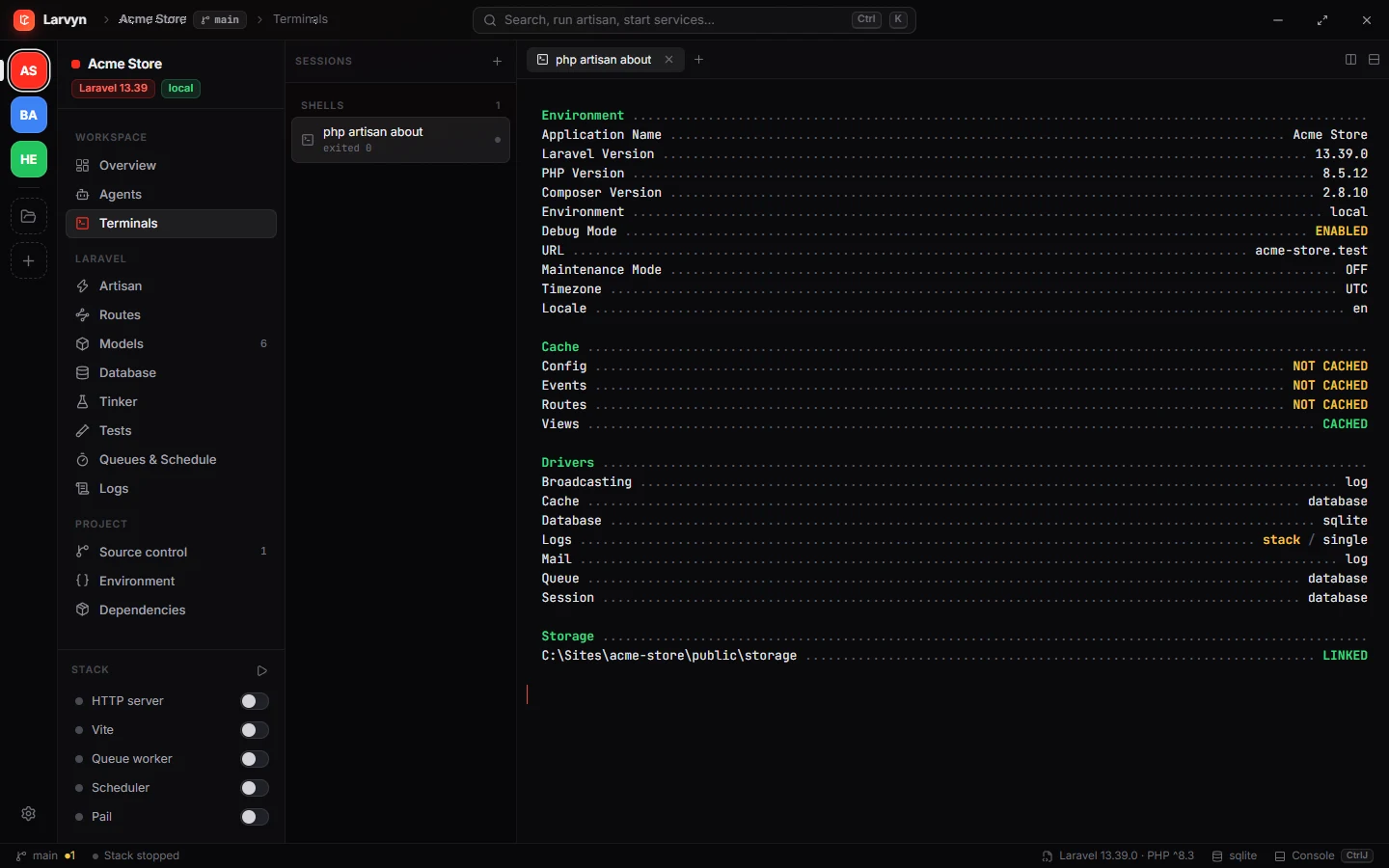
Real terminals that never die. Full PTY with colors, links and search. Switch views or projects and they keep running with their scrollback.
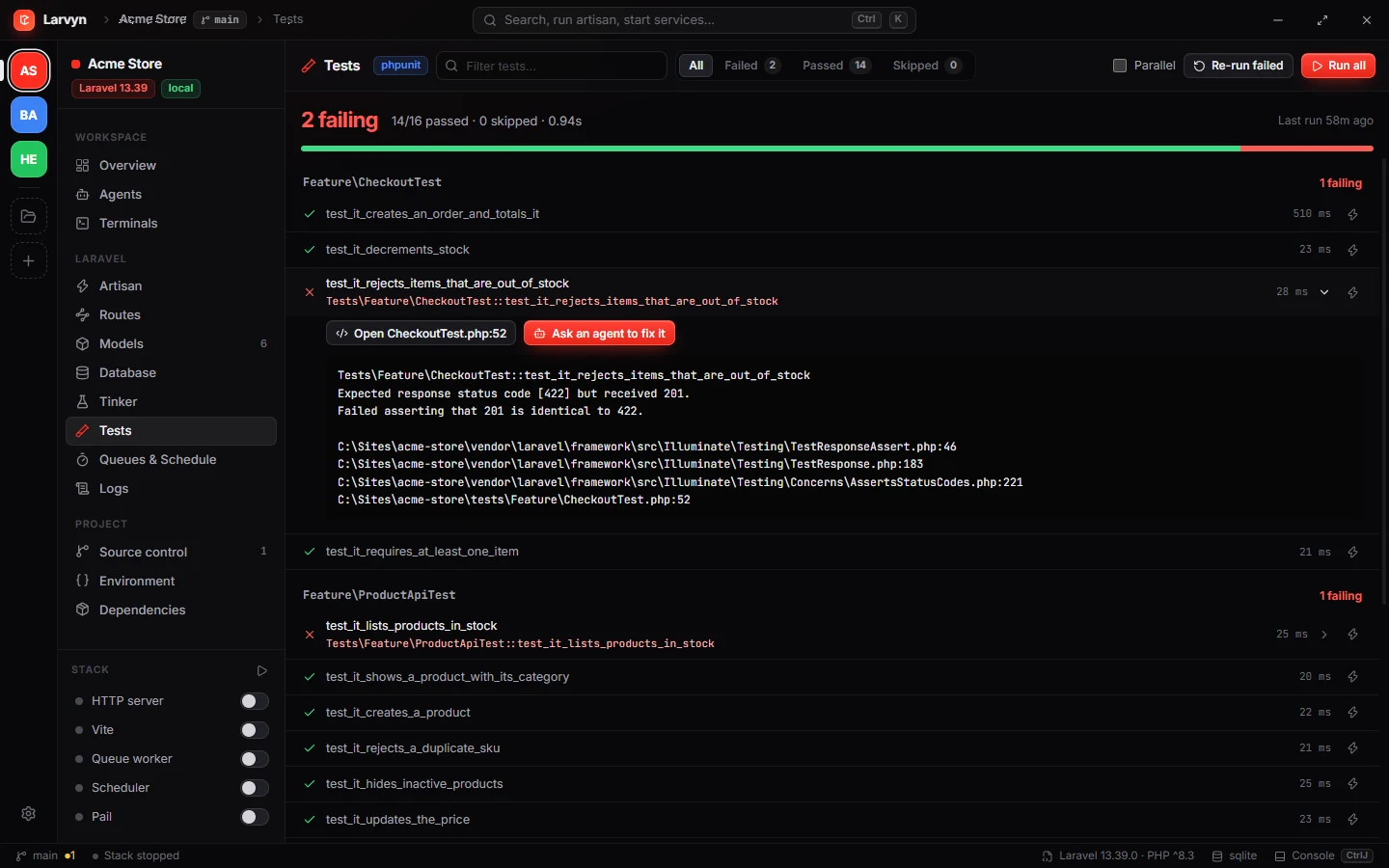
Every test, every failure, the exact line. Run Pest or PHPUnit, re-run only what failed, open the file or hand the failure to an agent.
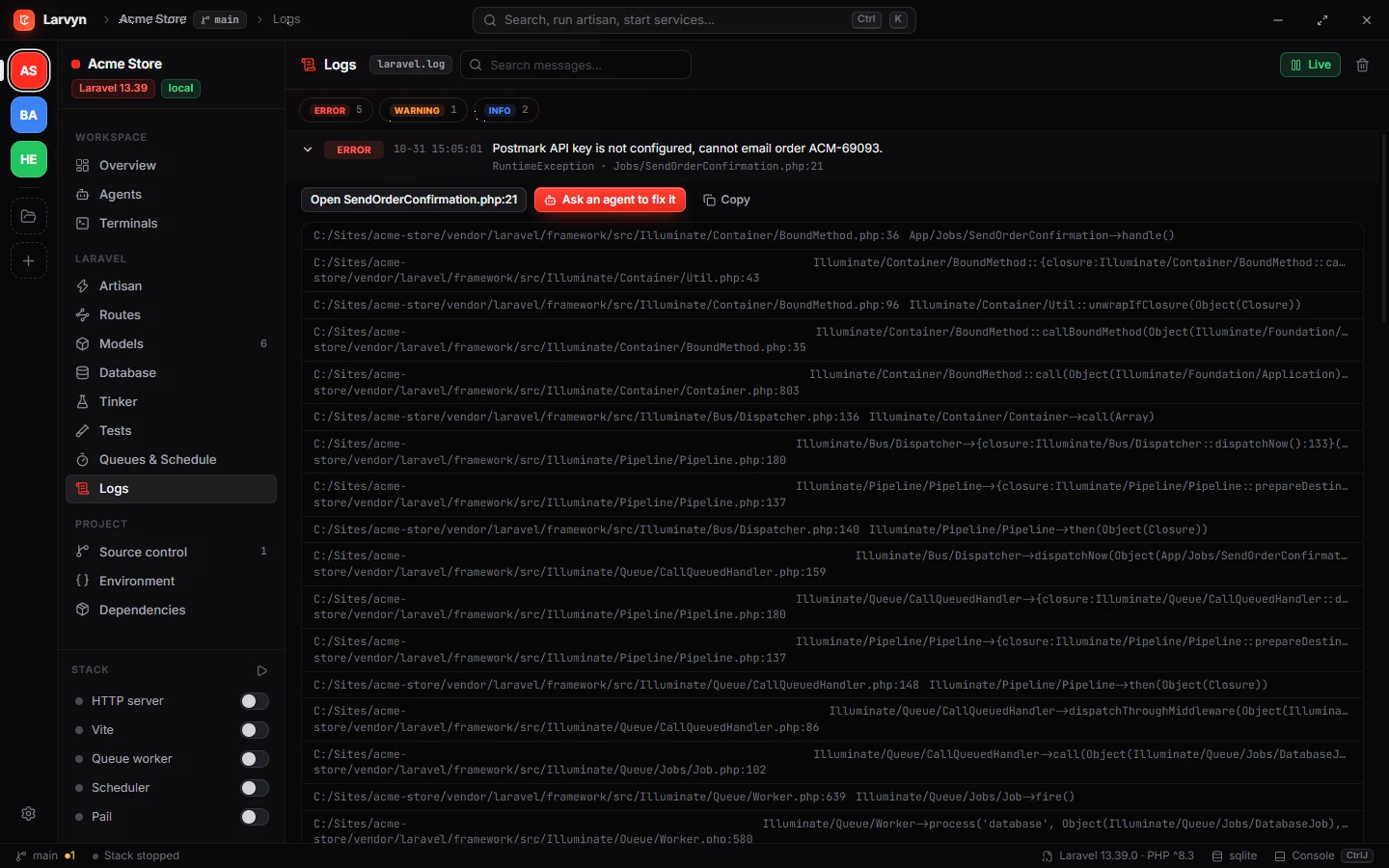
laravel.log, readable. Live tail with levels, parsed exceptions and stack frames that open in your editor. One click asks an agent to fix it.
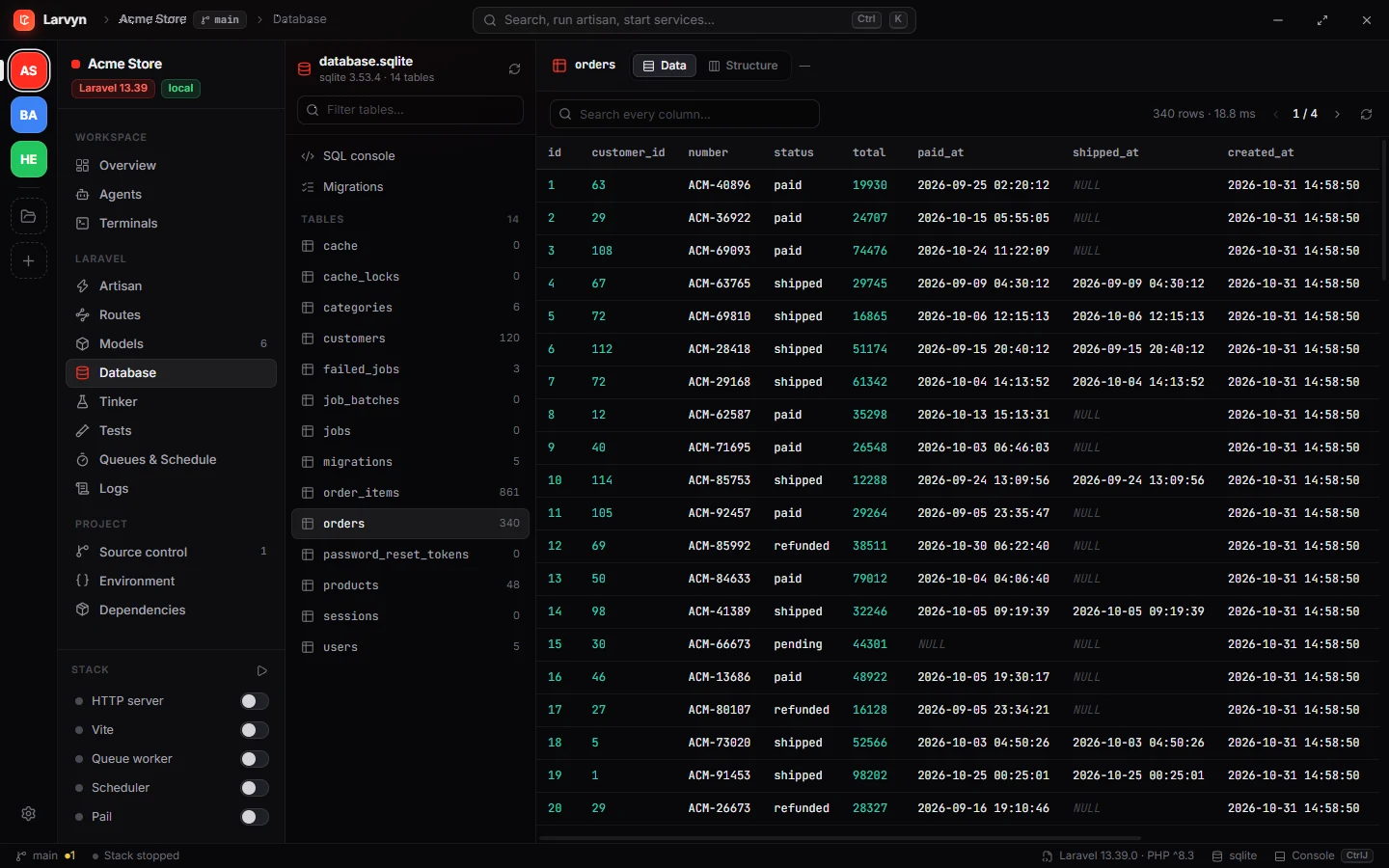
Browse and edit rows. Tables, structure, foreign keys and a SQL console, all through your app’s own connection. MySQL, Postgres, SQLite, SQL Server.
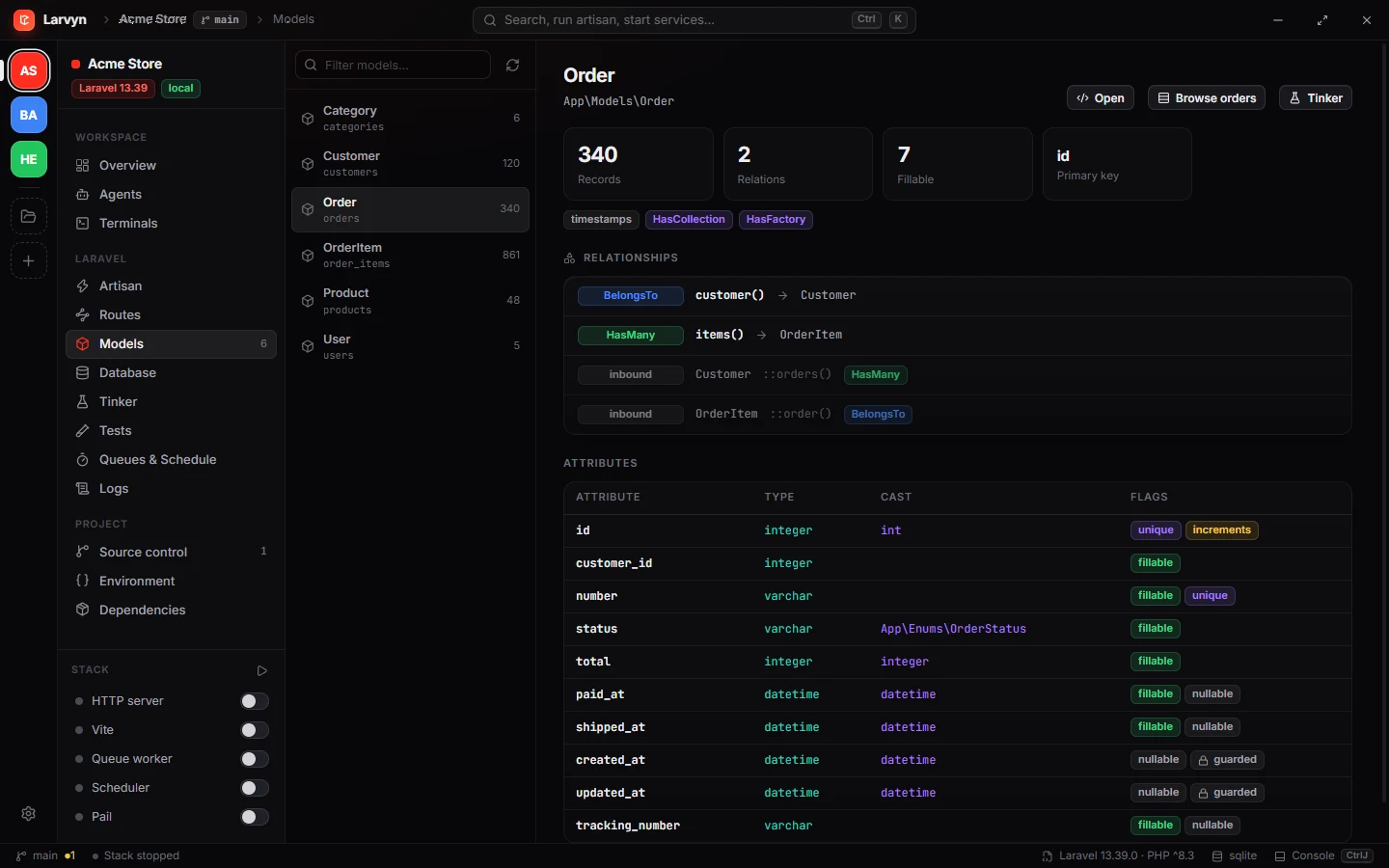
Eloquent, mapped. Attributes, casts, fillable and guarded fields, relationships in both directions and record counts for every model.
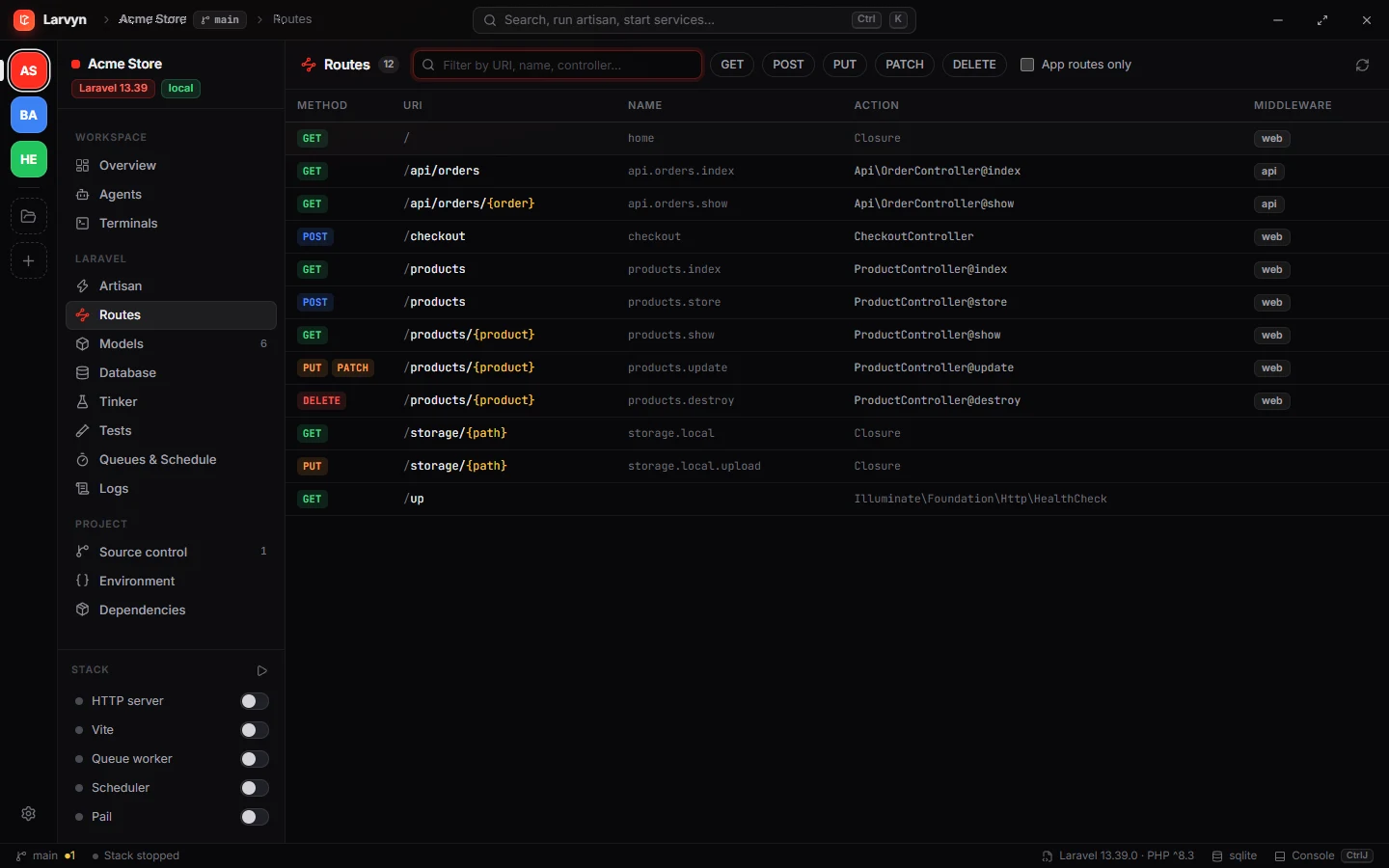
Every route, filterable. Methods, names, actions and middleware. Jump from a route straight to its controller method.
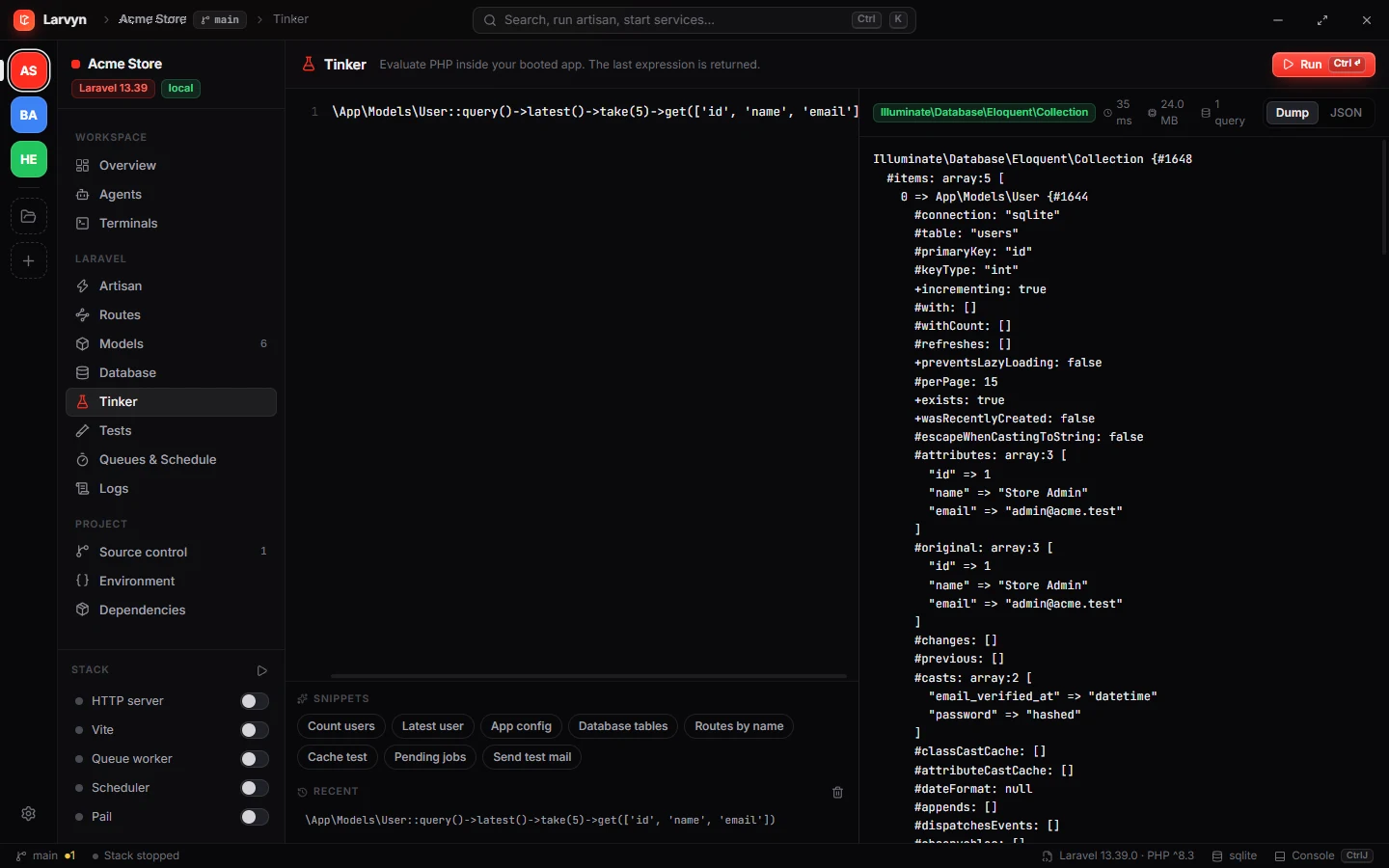
Tinker with an editor. Run PHP inside your booted app, see dumps or JSON, timing, memory and query count. Snippets and history included.
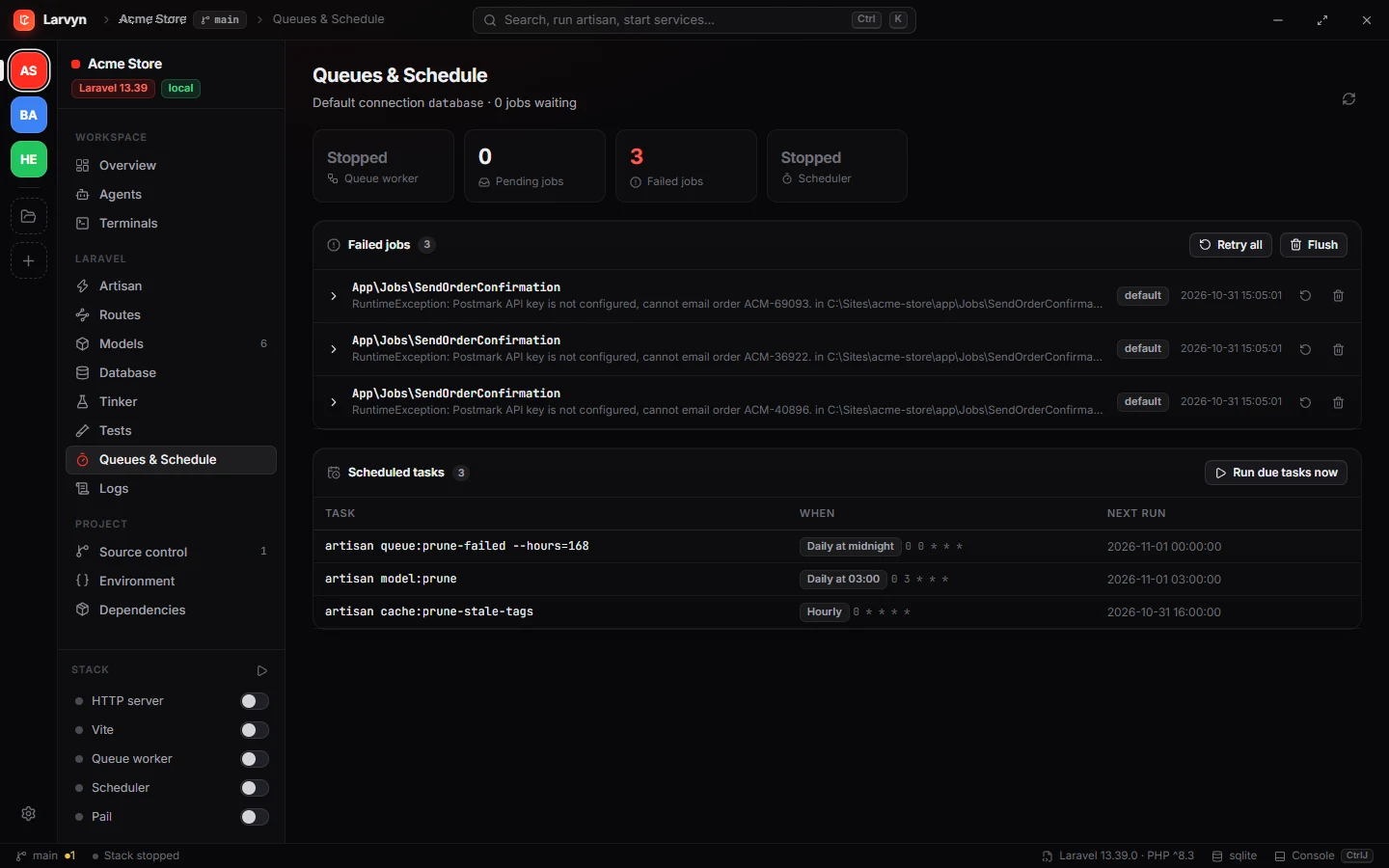
Queues and schedule. Failed jobs with their exceptions, retry or flush them, and every scheduled task with its next run.
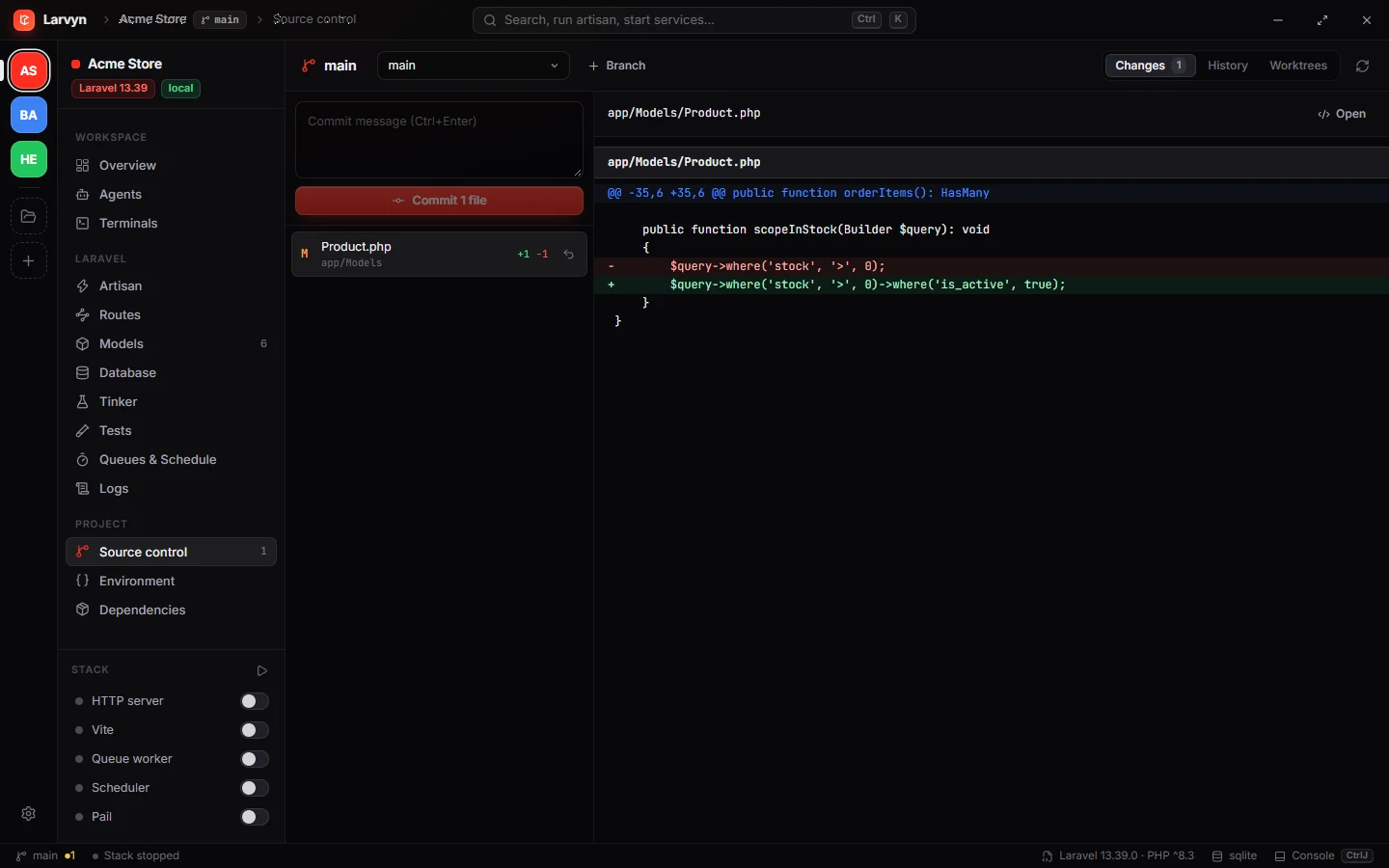
Source control built in. Status, diffs, commit, branches and worktrees, without leaving the app.
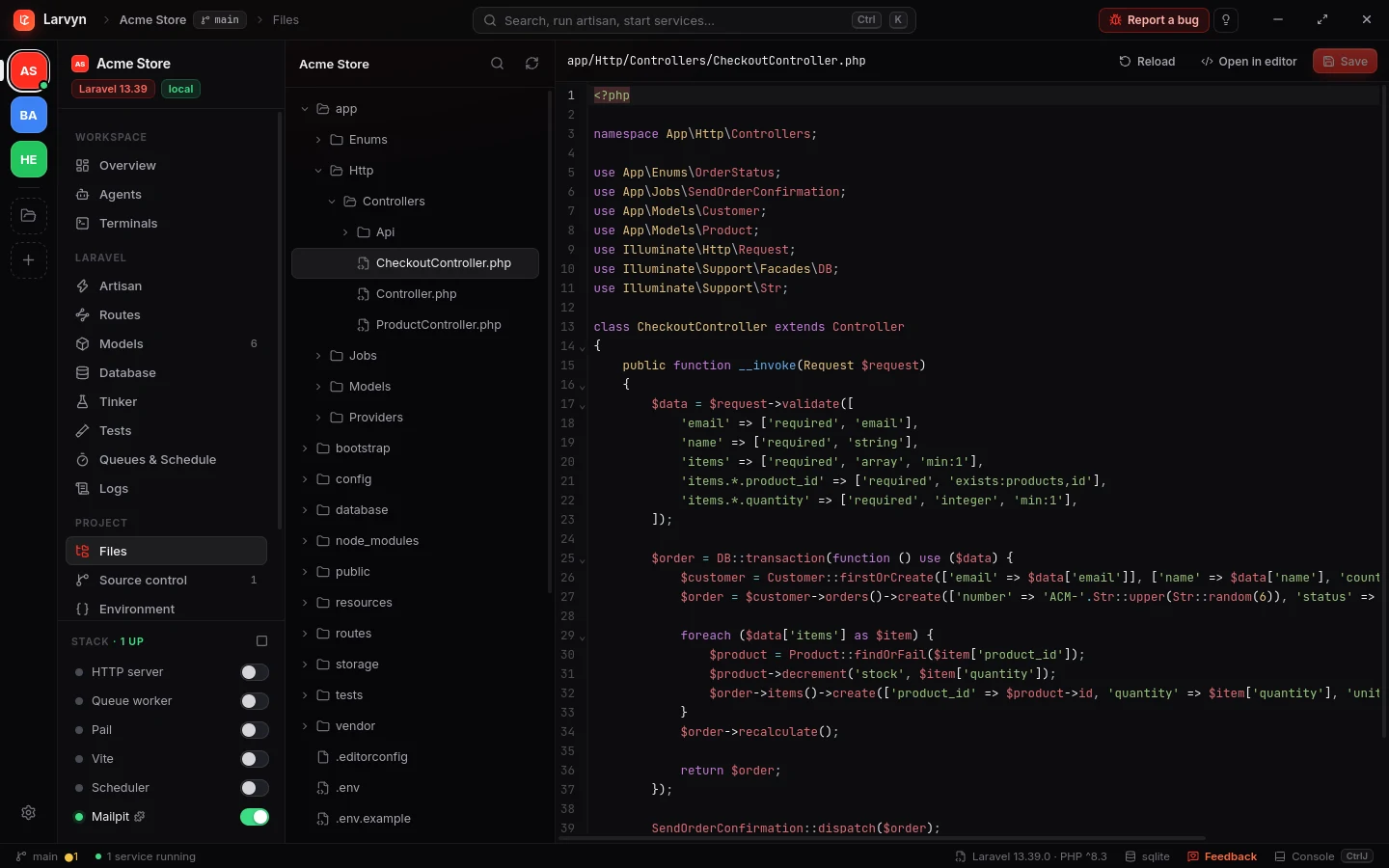
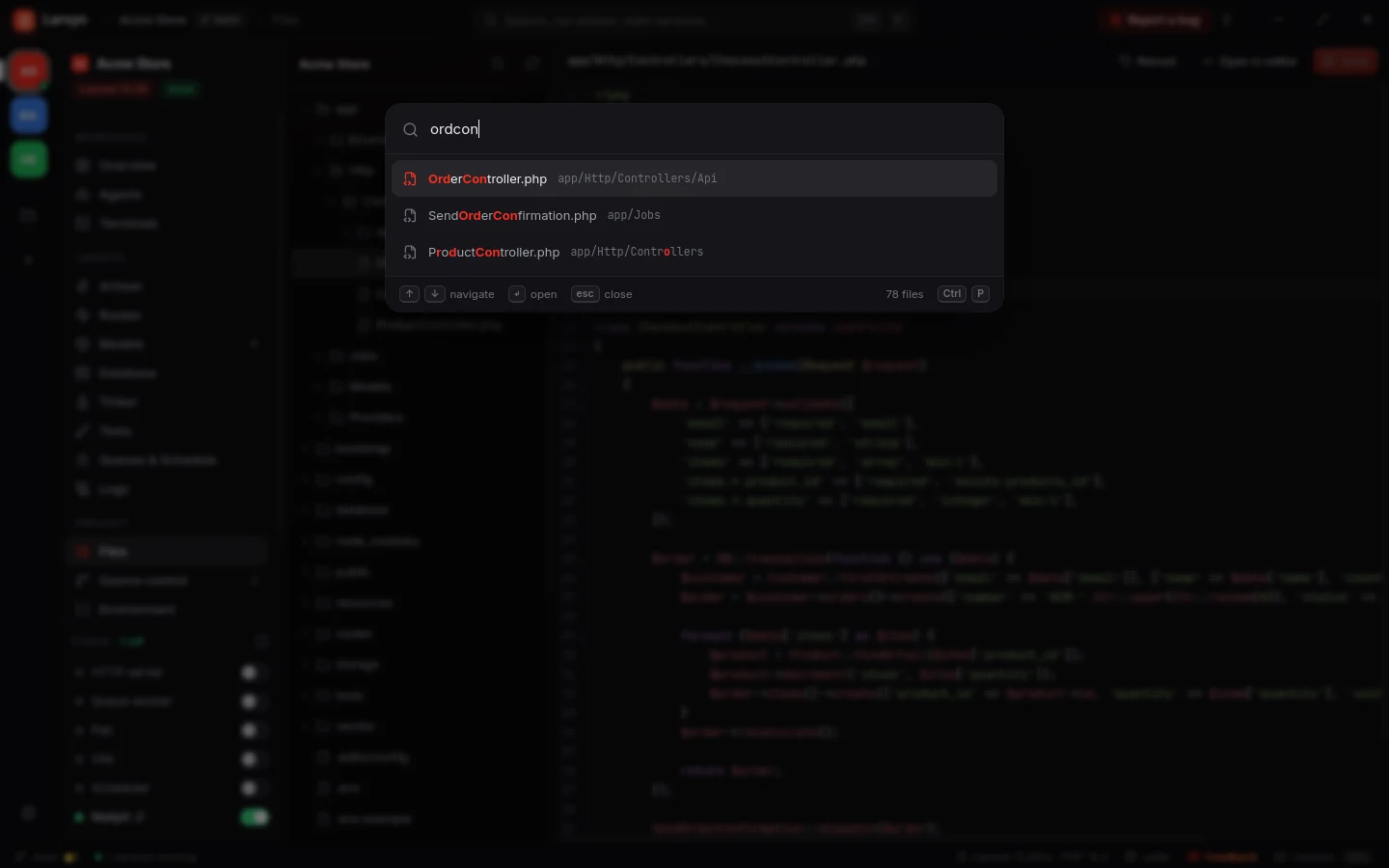
Browse and edit your code. The project tree and an editor with highlighting for PHP, Blade, JS/TS, Vue and more. Ctrl P jumps to any file by a few letters of its name.
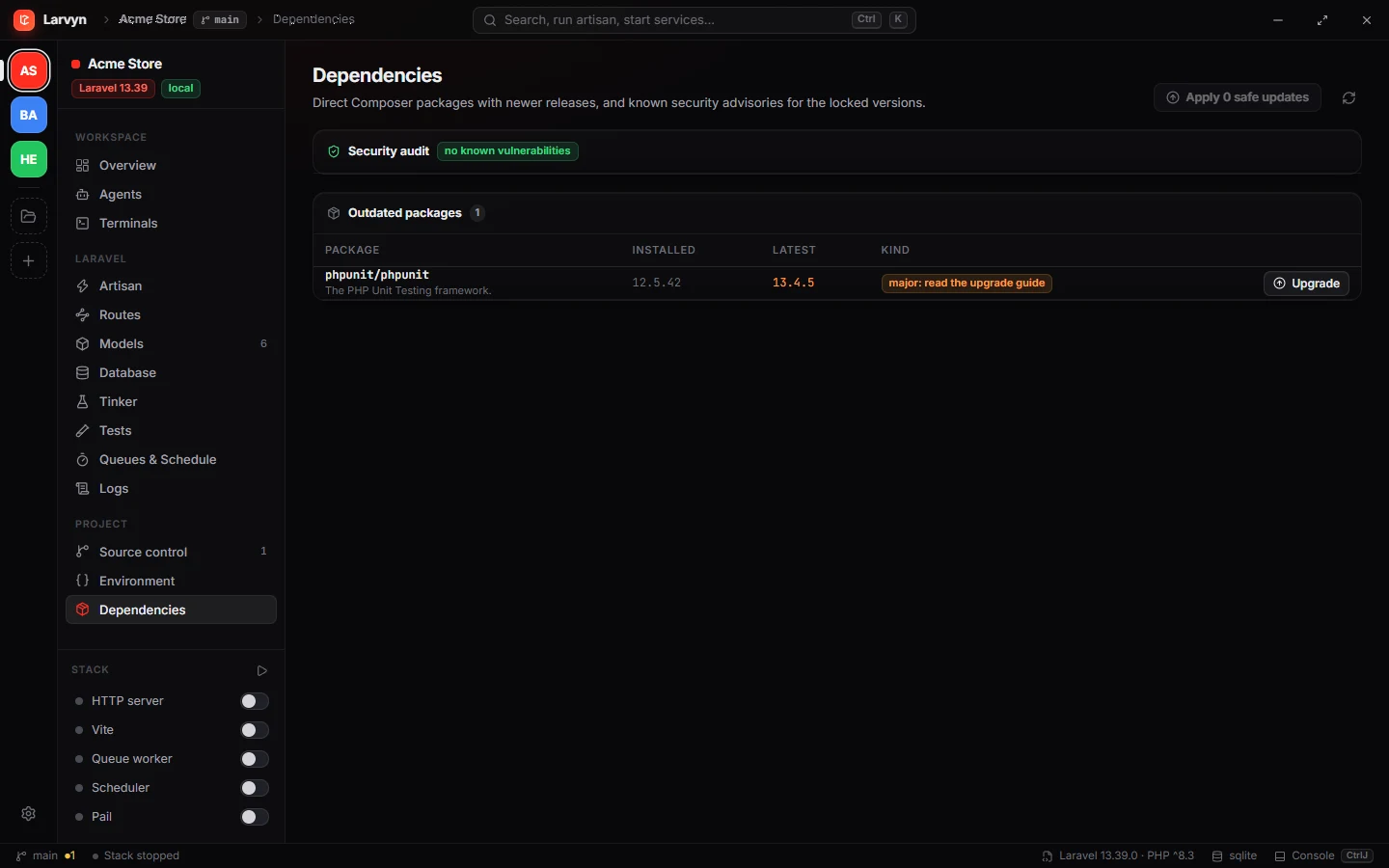
Stay current and safe. Outdated Composer packages split into safe and major updates, plus composer audit for known CVEs.
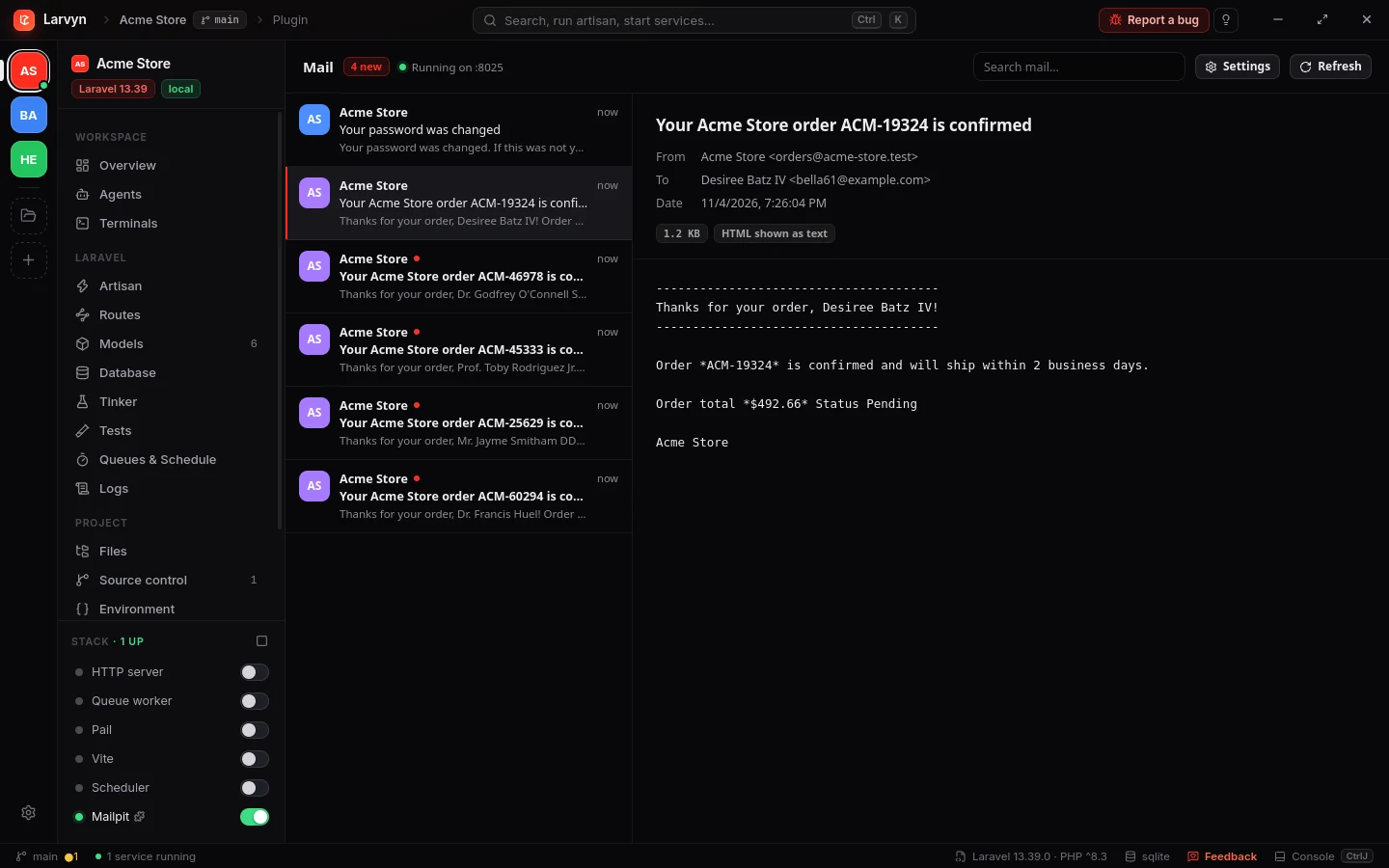
Plugins add their own views. The Mailpit plugin runs Mailpit in the stack and shows every email your app sends, right in the sidebar.
One prompt. Several agents. Pick the best result.
Write what you want in plain words. Larvyn creates a worktree per agent, copies your environment, starts each agent and shows its terminal live. When they finish, review every diff and merge with one click.
larvyn/stock-validation-1larvyn/stock-validation-2larvyn/stock-validation-3Your agents use Larvyn too.
Every Larvyn terminal has a larvyn command, and larvyn mcp serves the same tools over MCP. Agents see what you see: the project, the worktree, the dev stack, the tests and the log. So they check their own work before they say it’s done.
-
Start the stack and wait
larvyn stack start vite --waitreturns when it’s ready. No secondartisan serve. -
Tests, logs and the databaseFailures with
file:line, the log’s errors, models and read-only SQL, in the agent’s own worktree. -
Agents that start agents
larvyn agents startandwaithand off a task and return the other agent’s report. -
MCP in one line
claude mcp add larvyn -- larvyn mcp, or any MCP client. Read-only tools are marked, so they run without asking.
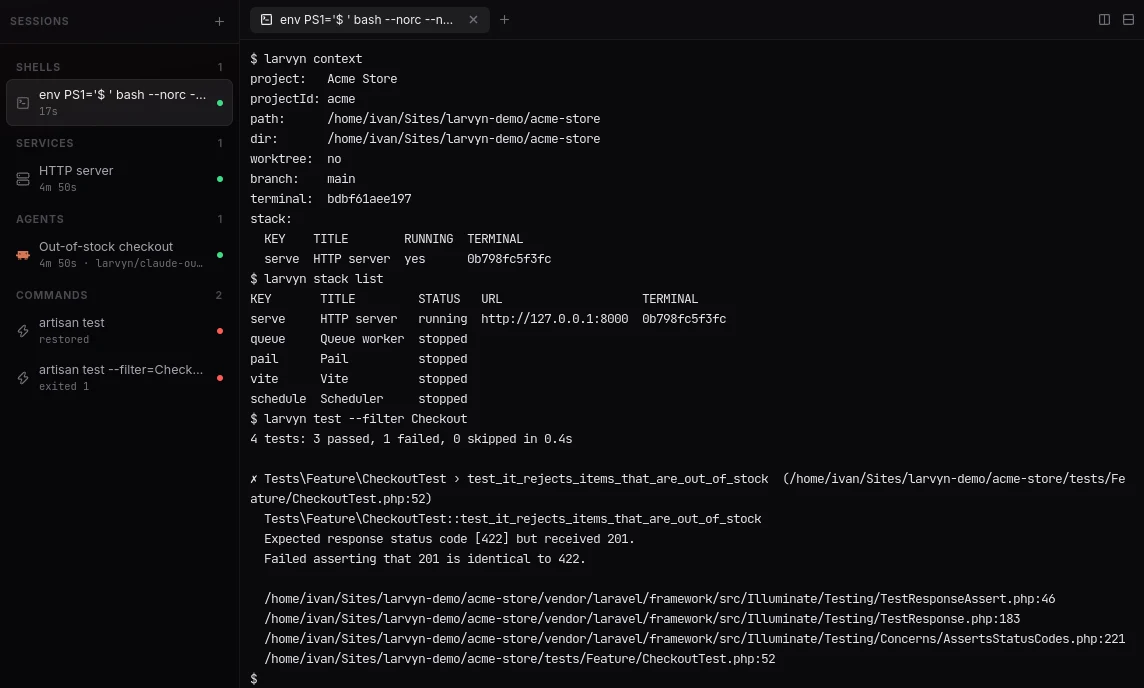
From red to green without hunting.
Larvyn runs php artisan test and shows every test grouped by class. Failures come with the message, the trace and the exact line in your code, not in vendor/.
-
Re-run only what failedOr a single test, with one click.
-
Open the failing lineIn VS Code, Cursor, PhpStorm, Zed, Windsurf, Sublime or Neovim.
-
Ask an agent to fix itThe failure and trace go with the prompt.
Exceptions you can act on.
A live view of laravel.log that parses every entry: level, time, exception class and the first frame in your app. Expand an error to see the full trace, open the file, or send it to an agent.
-
Live tailNew entries appear as they are written.
-
Filter by level and textErrors, warnings, info, or any word.
A database client that already knows your app.
No connection strings to copy. Larvyn reads your tables through Laravel’s own connection, so it works with whatever your .env points at.
-
Browse, search and edit rowsPaginated, with inline updates and deletes.
-
SQL consoleRun queries and read results in a grid.
-
MigrationsSee what ran and what is pending.
Type anything. Larvyn knows what you mean.
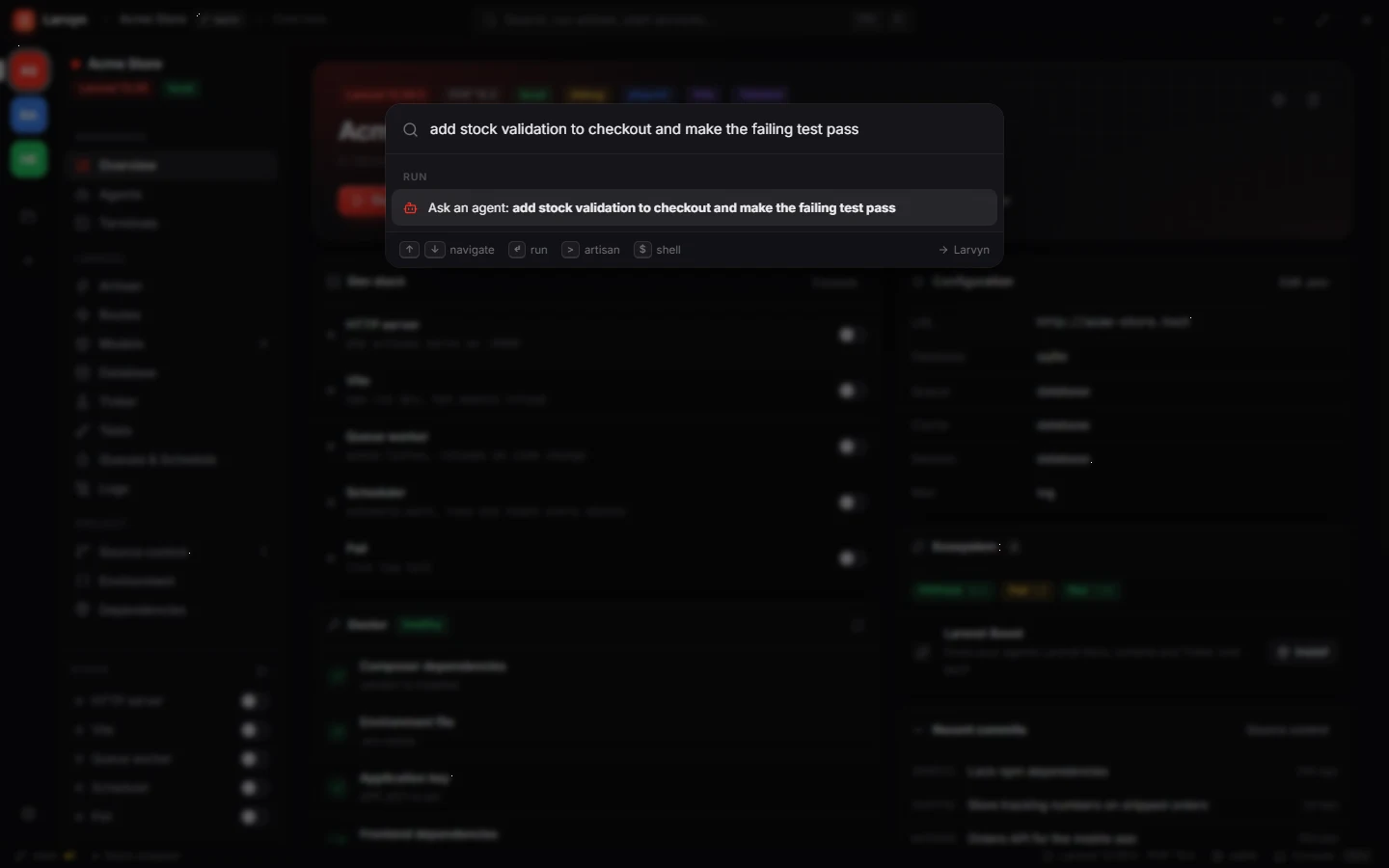
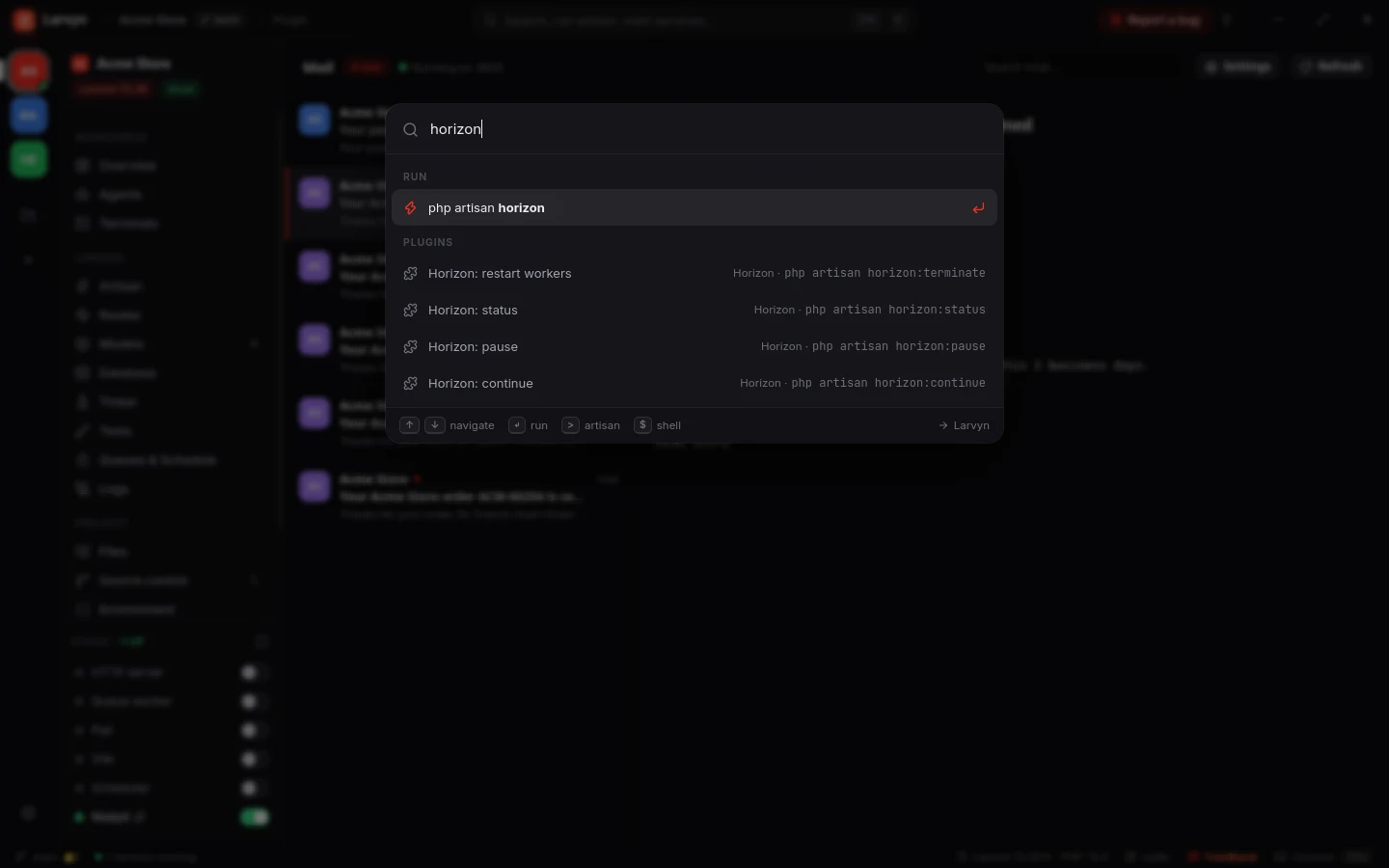
Ctrl K opens a palette that reads your intent: an artisan command, a shell line, a bit of PHP for Tinker, or a task for an agent. Try it.
Everything you need. Nothing you have to configure.
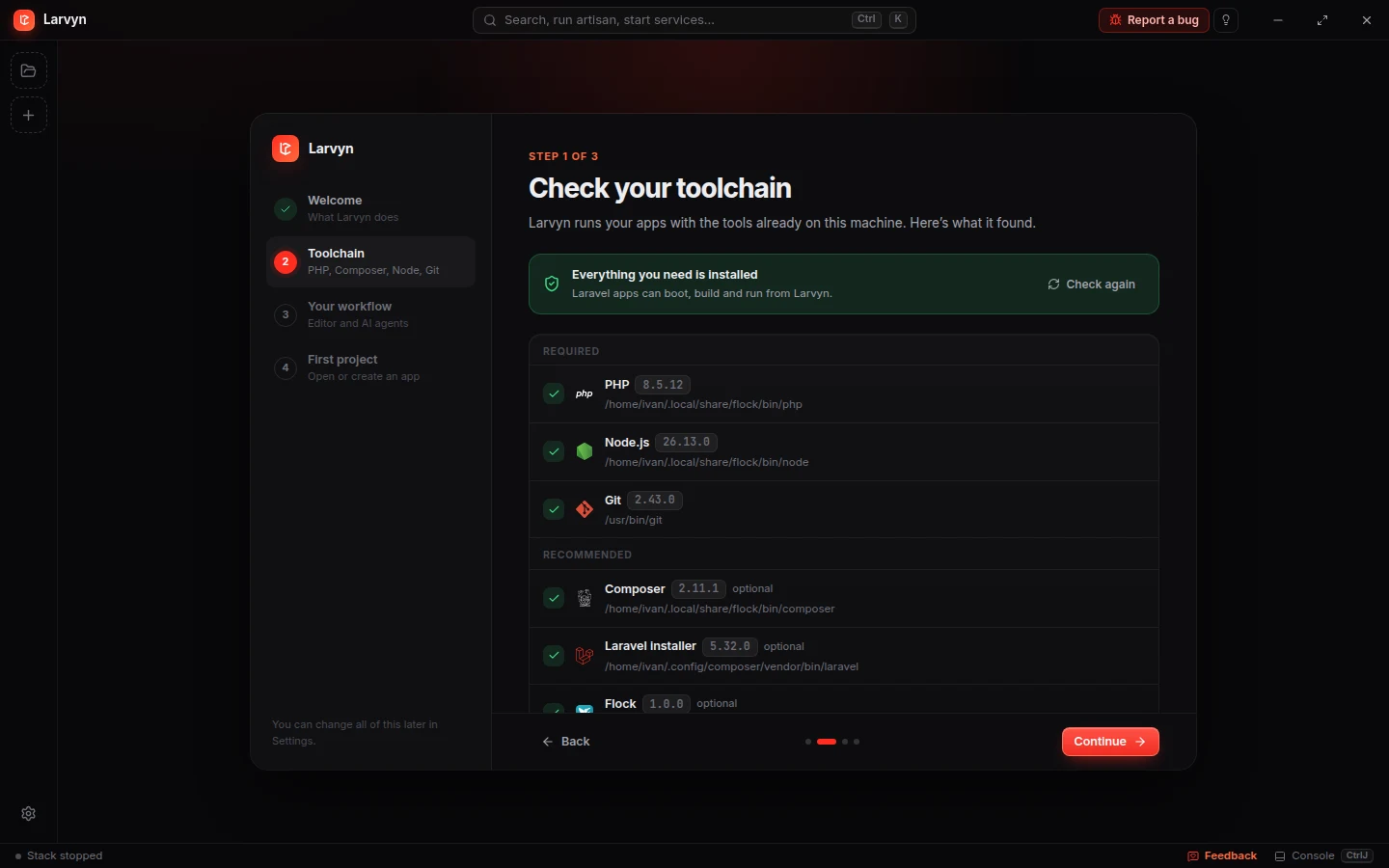
Add a folder and Larvyn detects the Laravel version, packages, frontend, database, queue and Herd or Flock URL on its own. Not a Laravel app? Everything marked Any project works there too.
Persistent terminalsAny project
PTY sessions that survive view and project switches, with bell alerts when a process needs you.
Parallel agentsAny project
Claude Code, Codex, Antigravity CLI, Cursor Agent, OpenCode, Aider and Pi, side by side.
Isolated worktreesAny project
Each agent works on its own larvyn/<task> branch. Review the diff, merge the winner.
CLI & MCP for agentsAny project
The larvyn command and an MCP server: agents run the stack, tests and other agents.
Spec firstAny project
One agent writes the spec, a fresh one reviews it, builders follow it and an auditor checks for drift.
Comments on diffsAny project
Comment on lines of an agent’s diff and send them all as one follow-up, like a PR review.
One-click dev stack
serve, Vite, queue or Horizon, scheduler, Pail, Reverb and Octane, together or one by one.
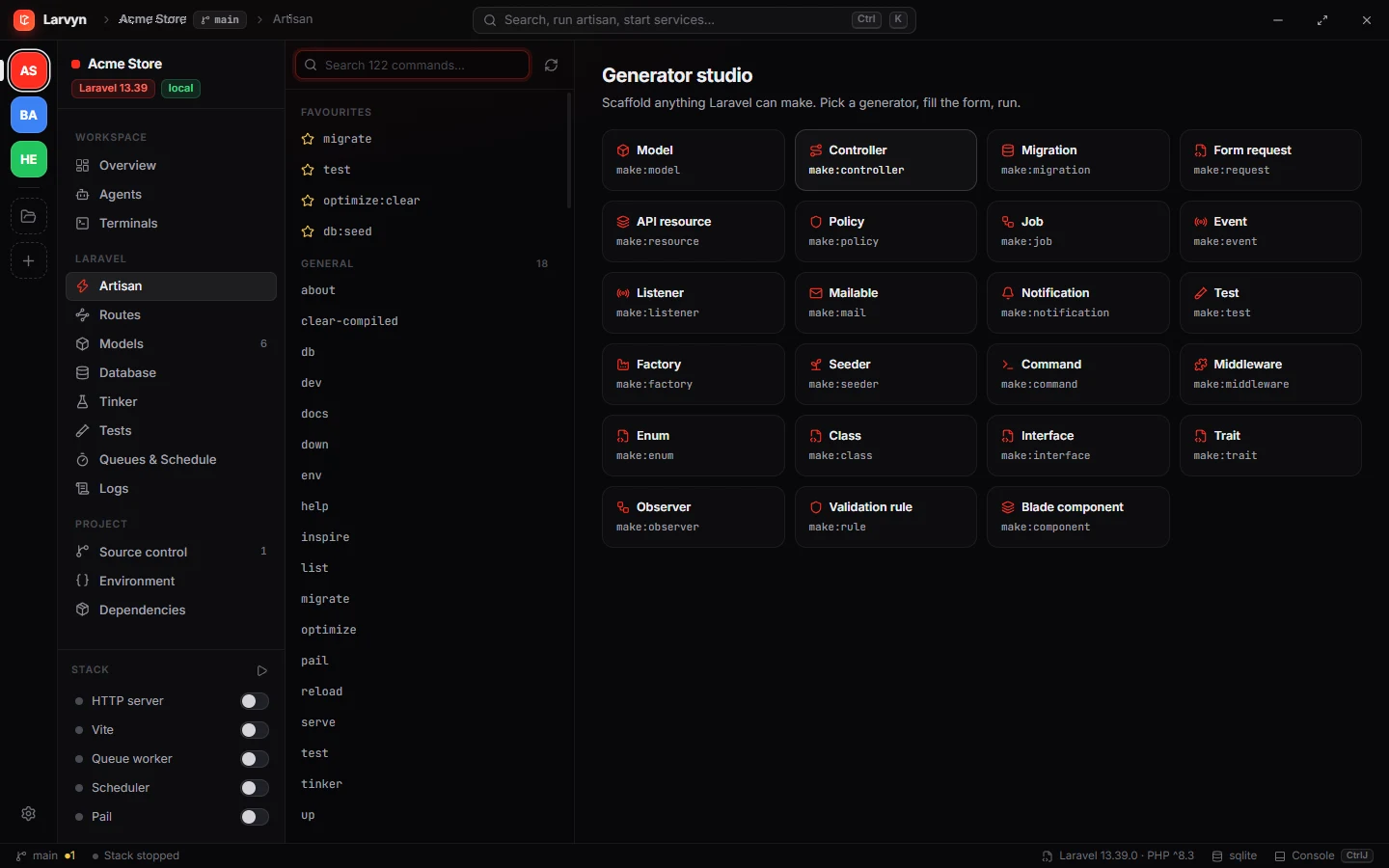
Artisan studio
Every command with its arguments as a form, favourites, and a generator for anything make: creates.
Route explorer
Filter by method, URI, name or middleware and open the controller at the right line.
Model inspector
Attributes, casts and relationships for every Eloquent model, plus record counts.
Database browser
Rows, structure, indexes, migrations and a SQL console through your app’s connection.
Tinker editor
Write PHP, run it in your app, read dumps or JSON with timing and query counts.
Test runner
Pest and PHPUnit with per-test results, filters, parallel runs and failure details.
Log viewer
Live laravel.log with parsed exceptions and frames that open in your editor.
Queues & schedule
Failed jobs, retries and every scheduled task with its next run time.
.env editorAny project
Edit the environment safely: a backup is kept before every save.
Security audit
composer audit and outdated packages with one-click safe updates.
Project doctor
Checks vendor, APP_KEY, storage link, migrations and frontend dependencies.
Command paletteAny project
Ctrl K understands artisan, shell, PHP and plain English.
Files & finderAny project
Browse and edit your code, and jump to any file with Ctrl P.
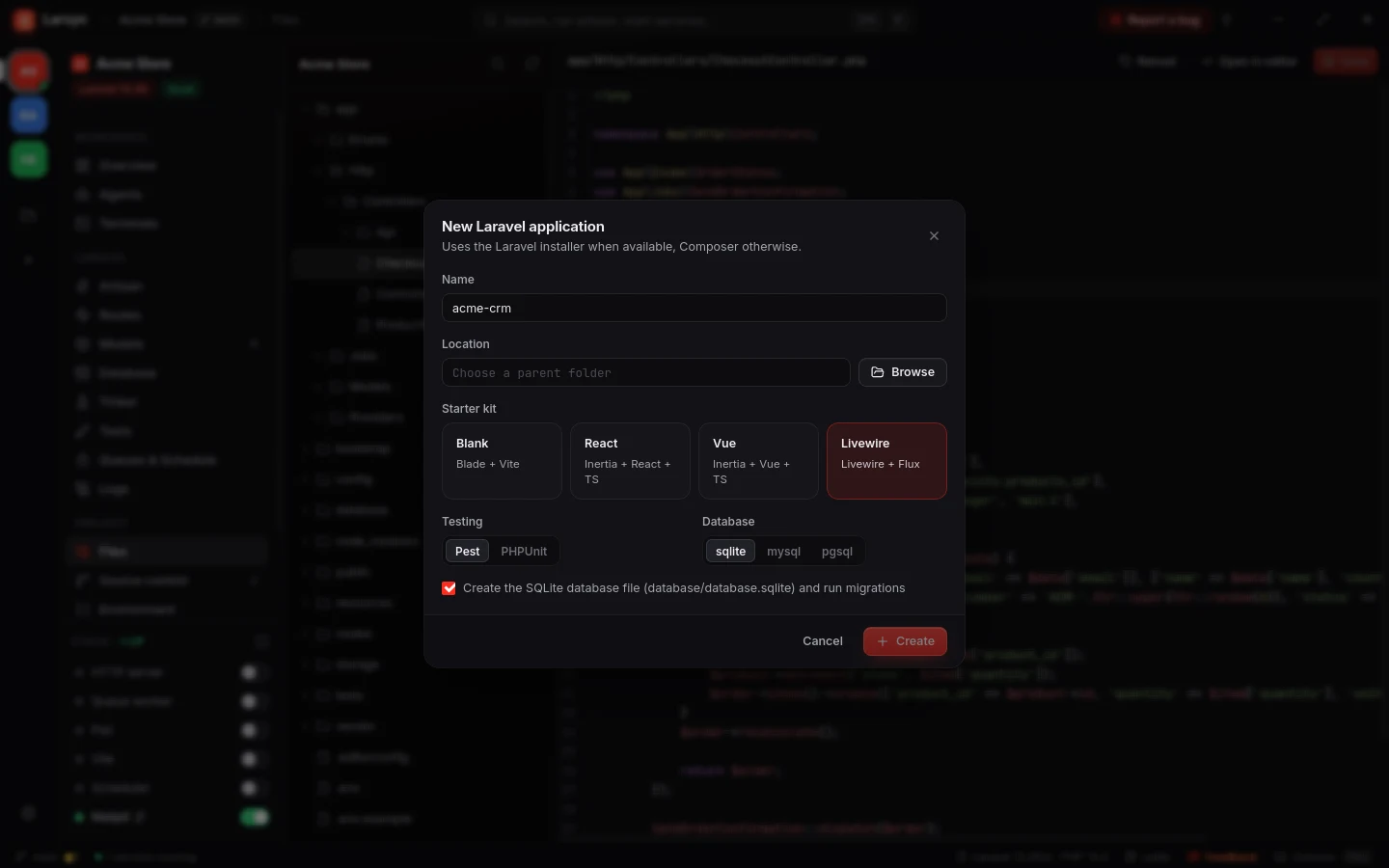
New Laravel app
Starter kit, Pest or PHPUnit and database, ready to run.
Workspace restoreAny project
Terminals, agents and services come back after a restart.
PluginsAny project
Add commands, services and views from the marketplace.
Team project fileAny project
.larvyn/project.json shares commands, stack items, plugins and worktree setup with the repo.
Missing a tool? Add it with a plugin.
Mailpit, Horizon or the script your team runs ten times a day. Install plugins from the marketplace inside Larvyn, and they can only do what you allowed.
Commands in Ctrl K
Plugin commands show up in the palette, such as Horizon: restart workers, and run in a project terminal.
Services in the Stack
Run something like Mailpit next to serve and Vite, with the same toggle, output and restart as Larvyn’s own services.
Views in the sidebar
A screen of its own, such as a Mail inbox, in a sandboxed frame. Its buttons can run commands, Artisan and the dev stack.
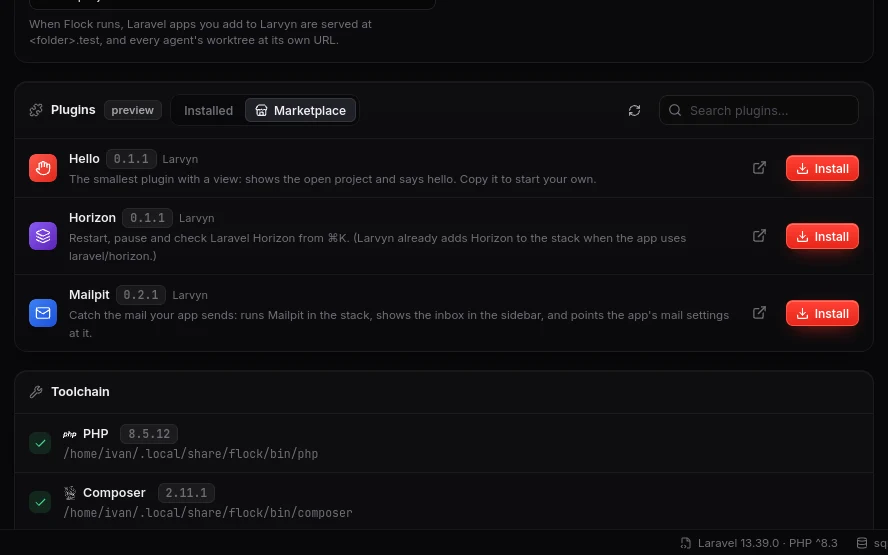
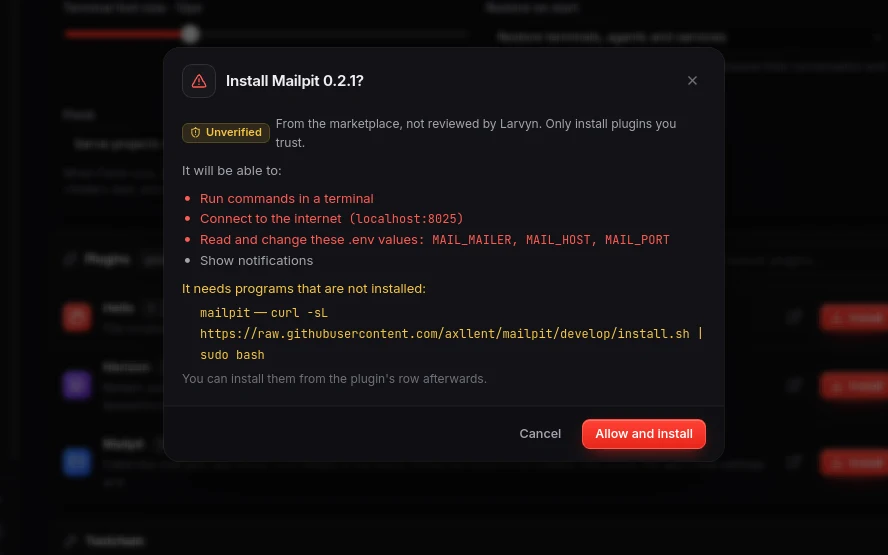
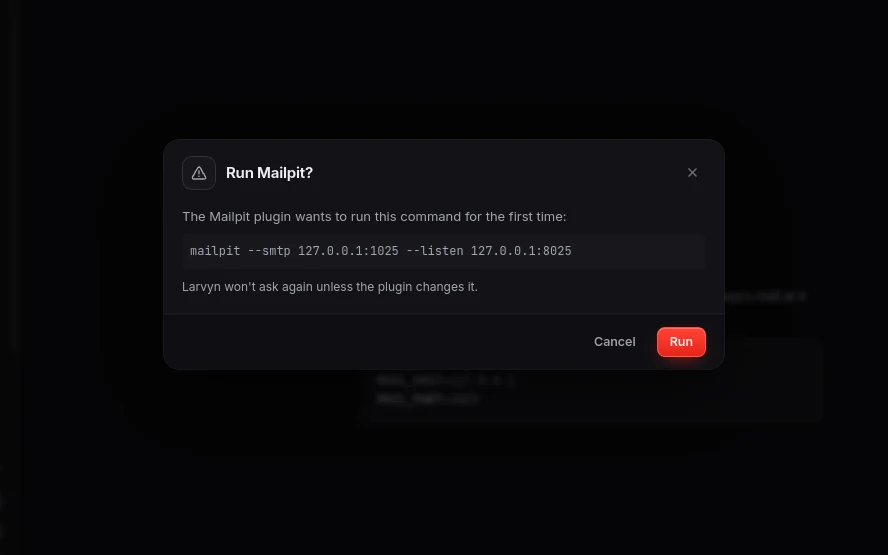
- Larvyn checks every permission and asks before a command runs
- Marketplace installs are verified by checksum and update themselves
-
A plugin is a
larvyn.jsonand some HTML
From idea to merged in four steps.
Describe the task
In the palette or the Agents view, in plain words. Or start from a Laravel playbook.
Agents get to work
Each in its own worktree and branch, with your .env and database copied over.
Review and test
Read every diff, run the tests in each worktree, ask for follow-ups.
Merge the winner
One click commits the agent’s work and merges its branch. Remove the worktrees you no longer need.
Small details, everywhere.
Install with one command.
Paste it in a terminal. From then on, Larvyn updates itself.
Open PowerShell and run:
irm https://larvyn.dev/install.ps1 | iexInstalls to your user folder, no administrator rights needed, and adds Larvyn to the Start menu.
Open Terminal and run:
curl -fsSL https://larvyn.dev/install.sh | shInstalls Larvyn.app to ~/Applications. Universal build for Apple Silicon and Intel.
Open Terminal and run:
curl -fsSL https://larvyn.dev/install.sh | shInstalls to ~/.local/bin and adds Larvyn to your apps menu. Needs GTK 4 and WebKitGTK 6.0 (Ubuntu 24.04+, Fedora 39+, Arch); the installer tells you if they are missing.
- Every download is checked against the release checksums
- Updates itself, your settings are kept
- Release notes and manual downloads
Questions, answered.
Is Larvyn free?
Yes, and it will stay free. There is no paid tier and no account to create: install it and open a project.
Can I use it on a project that isn’t Laravel?
Yes. Add any folder and Larvyn marks it Not Laravel, hiding the Laravel views: Artisan, routes, models, database, Tinker, tests, queues and logs. The rest keeps working: persistent terminals, coding agents in their own git worktrees, Files and the Ctrl P file finder, source control, the .env editor, Composer packages and audit when there is a composer.json, npm run dev in the stack when package.json has a dev script, the command palette, plugin commands and stack items, and a workspace that comes back after a restart.
Do I need Laravel Herd or Flock?
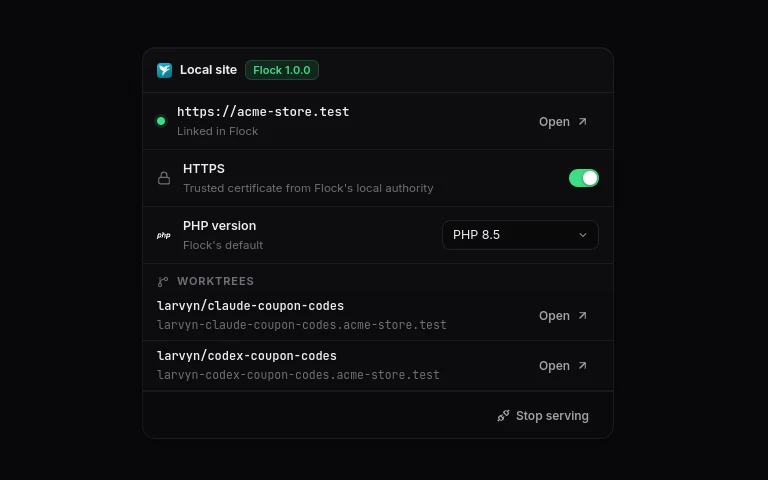
No. Larvyn uses whatever PHP, Composer and Node are on your PATH, and picks up Herd automatically when it is installed, including its site URLs. With Flock installed, it can also serve each app at its own .test domain with HTTPS, and every agent’s worktree at its own URL. If Composer is missing, Larvyn can install it for you and verifies the installer’s signature.
Which coding agents work with it?
Claude Code, Codex, Antigravity CLI, Cursor Agent, OpenCode, Aider and Pi. Larvyn detects which ones are installed and runs them in real terminals, so they behave exactly as they do in your shell.
Can my agents use Larvyn on their own?
Yes. Every Larvyn terminal has a larvyn command, so an agent can start the dev stack and wait until it is ready, run the tests and read the failures, read the log’s errors, query the database read-only and start other agents. larvyn mcp serves the same tools to Claude Code, Codex, Cursor or any MCP client, and Settings → Agents know Larvyn installs a skill and a session hook so agents use it without being told. See the docs.
Will agents touch my working copy?
Only if you want them to. With worktrees on, each agent gets its own larvyn/<task> branch in a separate folder, with your .env and SQLite database copied. Those copies are never committed. You review the diff and decide what to merge.
Does Larvyn change my project?
No. It reads your project to show routes, models, logs and data, and only writes when you ask: saving the .env (a backup is kept first), editing a row, running a command or merging a branch.
What happens when I quit Larvyn?
Your workspace comes back when you open it again: terminal tabs and splits with the last part of their output, and the dev services that were running. Claude Code and Codex resume the same conversation, and OpenCode, Antigravity, Pi and Aider continue the latest one. Turn it off in Settings → Workbench → Restore on start.
How do I update Larvyn?
Larvyn checks for new releases when it starts and every few hours. When one is out, Update now downloads it, verifies the checksum and restarts Larvyn. You can also check by hand in Settings → About & feedback.
Can I extend Larvyn?
Yes, with plugins. A plugin can add commands to Ctrl K, services to the Stack and views to the sidebar. Open Settings → Plugins → Marketplace to install one, or browse them at larvyn.dev/plugins. To write your own, start from the plugin starter.
Are plugins safe to install?
Before installing, Larvyn shows what a plugin may do, with the sensitive permissions in red. Larvyn enforces those permissions itself, shows you each command before it first runs, and keeps an update that wants a new permission off until you approve it. Views can’t reach your files or the internet directly. If the marketplace revokes a harmful plugin, Larvyn turns it off.
Where is my data stored?
On your machine, in a single state file in your app data folder. There are no accounts and nothing is sent anywhere.
Which systems does it run on?
Windows 10 and 11, macOS 12 or newer (Apple Silicon and Intel) and Linux x86-64. Larvyn is in public beta on all three, so expect rough edges and tell us what breaks.
Why install from the terminal?
The beta builds are not code-signed yet, so a file downloaded in the browser shows a security warning. The install command downloads the same release from GitHub, verifies its checksum and puts it in your user folder without that warning. You can read the scripts first: install.sh and install.ps1.
How do I uninstall it?
On macOS and Linux run curl -fsSL https://larvyn.dev/install.sh | sh -s -- --uninstall. On Windows run $env:LARVYN_UNINSTALL = "1"; irm https://larvyn.dev/install.ps1 | iex. Your settings stay in your config folder until you delete it.
I found a bug. Where do I report it?
In the app, open Settings → Report a bug: it opens a GitHub issue with your Larvyn version and system already filled in. You can also open an issue directly, or ask questions and share ideas in Discussions. Security problems go through a private report, never a public issue.
Made by Laravel developers, for Laravel developers.



Open a project.
Your tools are already there.
Terminals, parallel agents and git for every repo, and the full Laravel workbench when it’s a Laravel app. Free, with no account.