Every app and every agent
at its own .test URL.
Larvyn works with Flock, the free local PHP environment. One click serves your Laravel app at https://<folder>.test, and each coding agent’s worktree gets an address of its own, so you can open every attempt in the browser.
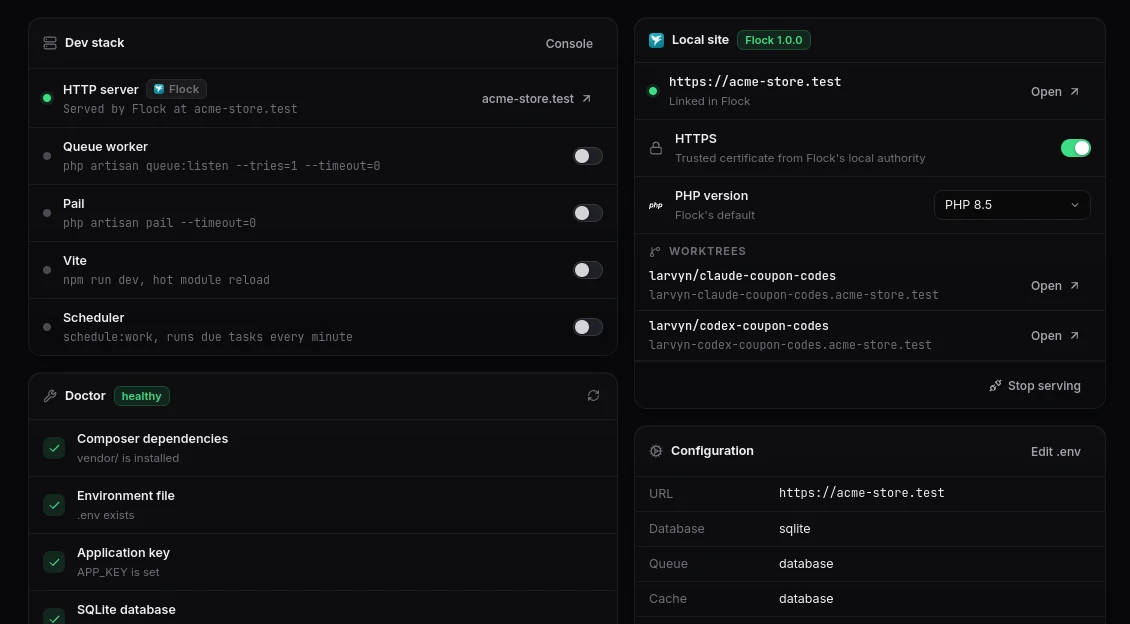
Compare agents by clicking through their work.
Give one task to Claude Code and Codex. Each works in its own git worktree, and Flock serves every worktree at its own subdomain, so each attempt is live as soon as the agent starts.
| Attempt | URL |
|---|---|
| Your app | acme-store.test |
| Claude Code | larvyn-claude-coupon-codes.acme-store.test |
| Codex | larvyn-codex-coupon-codes.acme-store.test |
Flock also installs each worktree’s Composer and npm dependencies, adjusts its .env and gives Redis, the cache and Horizon their own prefixes, so attempts don’t take each other’s jobs.
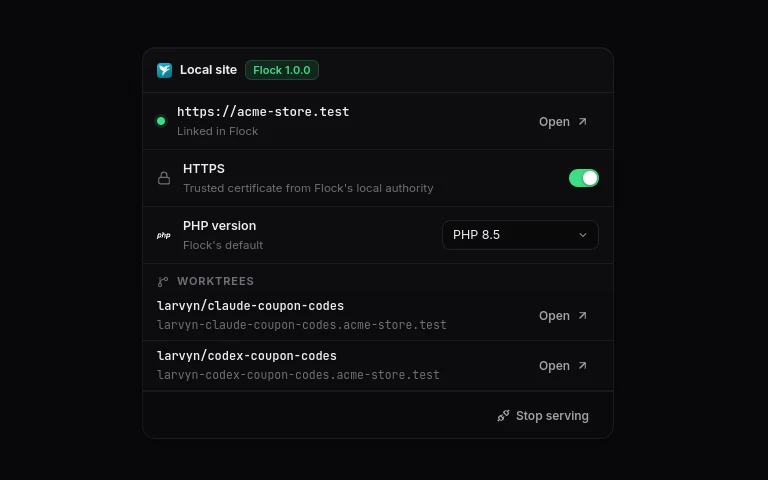
HTTPS and PHP versions, from the Overview.
-
HTTPS is a switchCertificates from Flock’s local authority, already trusted by your browsers.
APP_URLfollows. -
PHP per appPick a version for this app only. Larvyn downloads it through Flock if needed.
-
Vite over HTTPSHot reload keeps working on an HTTPS site.
-
One click backStop serving returns to
artisan serveand restoresAPP_URL.
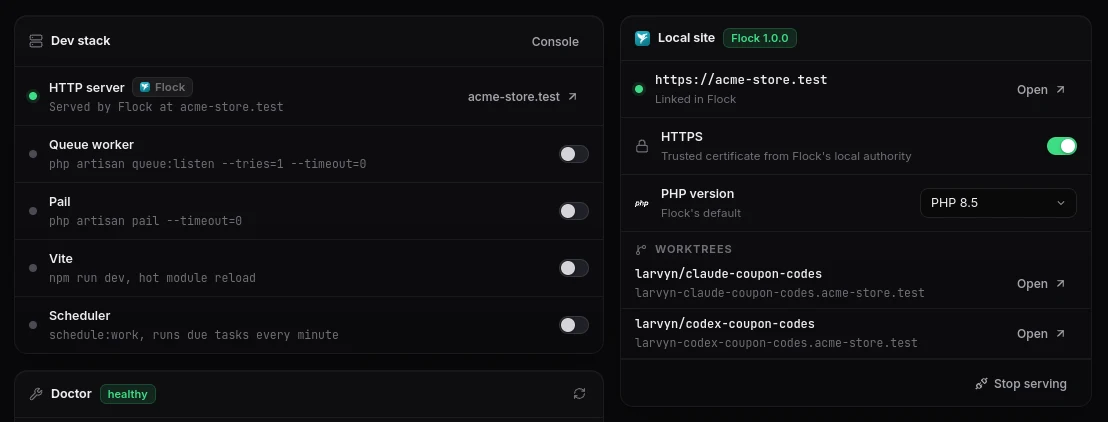
Three steps.
Install Flock
From flockphp.com/download, and run its setup.
Open a Laravel project
In Larvyn, go to the project’s Overview.
Click Serve
In the Local site card. Your app is at https://<folder>.test.
Flock is a trademark of Guava s.r.o. Larvyn isn’t affiliated with it.
Questions
What is Flock?
Flock is a free, open source local PHP environment for Windows, macOS and Linux. It runs PHP, Node, databases and *.test sites with trusted HTTPS, without Docker.
Do I need Flock to use Larvyn?
No. It’s optional. Without Flock, Larvyn runs php artisan serve for you, and it still detects Laravel Herd and Valet. Nothing about Flock appears until Flock is installed.
Does Larvyn change my .env?
Only APP_URL, and only when it was empty or localhost. Larvyn backs up the .env first, and Stop serving puts the old value back. A URL you chose yourself is never overwritten.
Can I keep using Flock’s own app and flk command?
Yes. Larvyn reads Flock’s local API and makes changes through flk, exactly as you would type them. Flock stays the source of truth, and Larvyn notices changes you make outside it within a few seconds.
Which version of Larvyn has it?
Every version since v0.1.0-beta.9. Read the full story in the announcement.
More of Larvyn

Serve your app at a real domain.
Install Flock and Larvyn, open a Laravel project and click Serve. Both are free.