One prompt. Several agents.
Merge the best result.
Larvyn starts Claude Code, Codex, Cursor Agent and other agent CLIs side by side, each on its own git branch and folder. Watch them work in live terminals, read every diff, and merge the one you like.
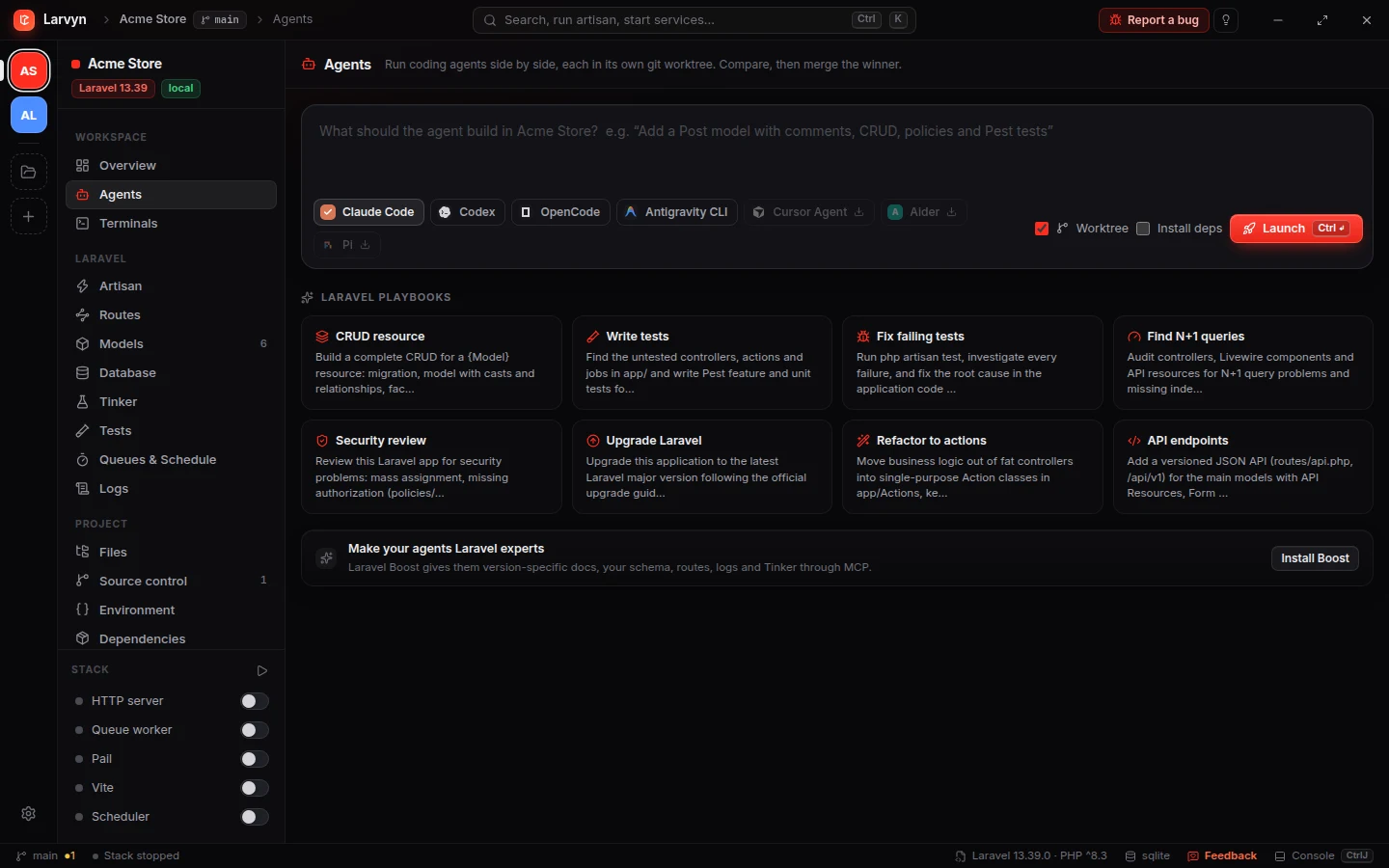
From a sentence to a merged branch in four steps.
Describe the task
In the Agents view or in Ctrl K, in plain words. Or start from a Laravel playbook.
Pick the agents
Each one gets a larvyn/<task> branch in its own worktree, with your .env and SQLite copied in.
Watch and answer
Live status per agent: working, waiting for you, or done. A bell tells you when one needs input.
Review and merge
Read each diff next to the agent’s terminal, then Merge or Discard.
Agents that can’t step on each other.
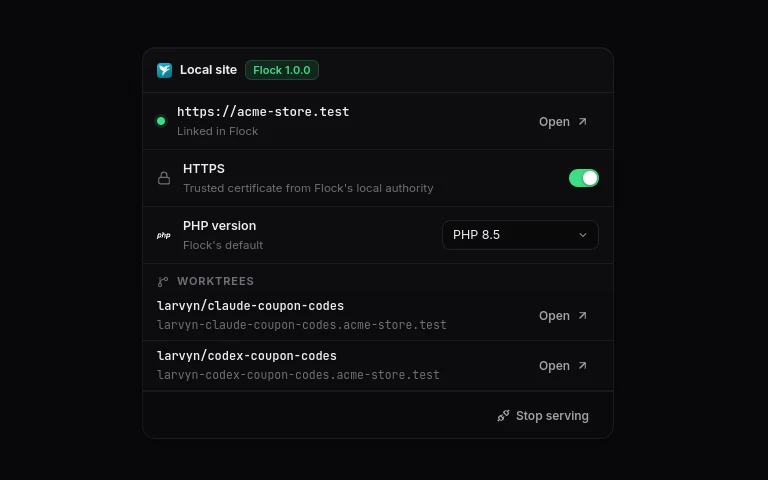
Two agents editing one folder overwrite each other’s work. In Larvyn every agent works in its own git worktree, so you can run three on the same task and compare.
-
Ready to runYour
.envand SQLite database are copied into each worktree and never committed. -
A URL per worktreeWith Flock, each agent’s copy of the app is served at its own
.testaddress. -
Your main checkout stays cleanNothing lands there until you merge it.
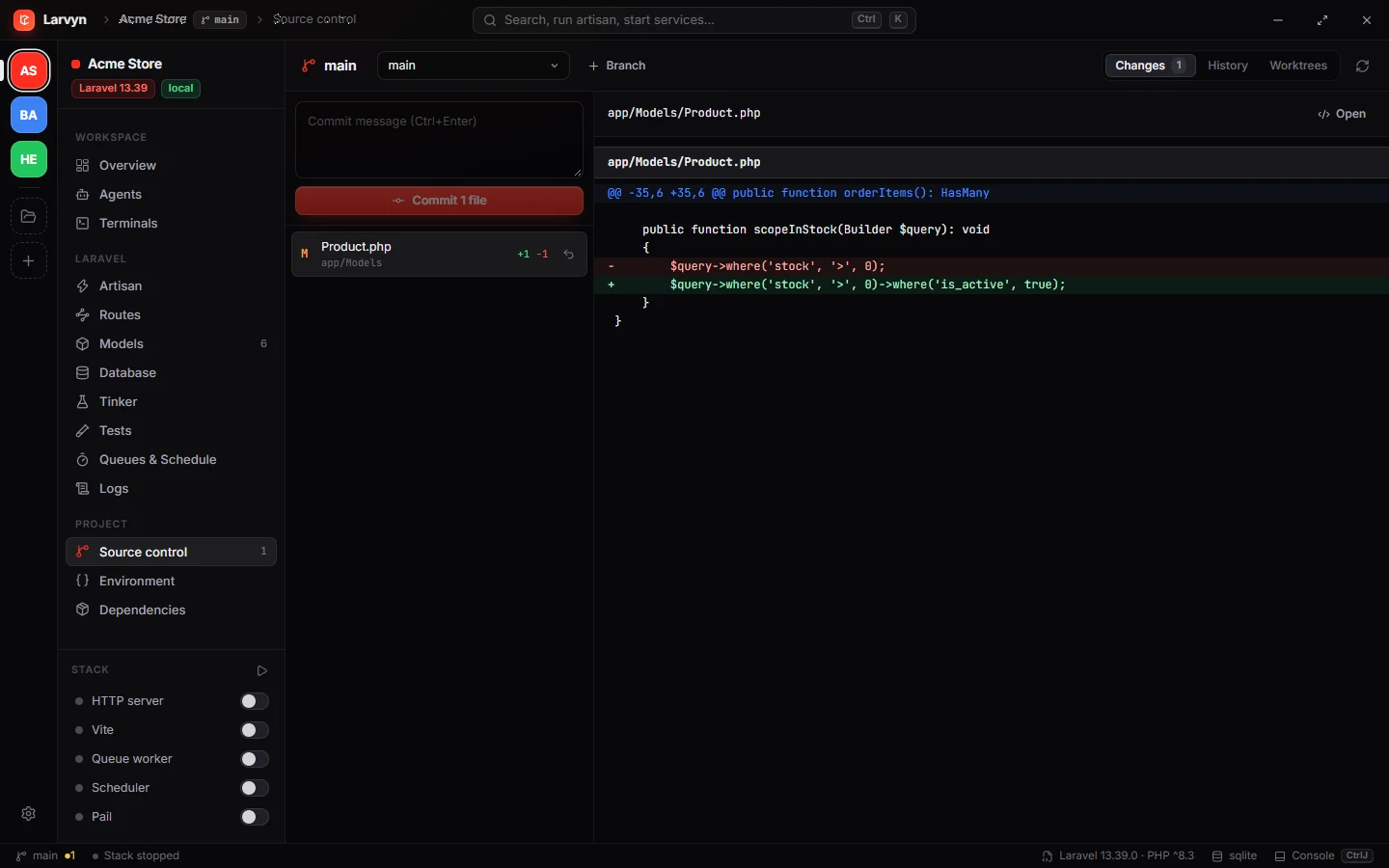
The diff next to the agent that wrote it.
Review changes opens the agent’s diff in a panel beside its terminal. It refreshes while the agent works, so you can steer it before it finishes.
-
Split or unifiedA list of changed files, folding, open in editor and copy.
-
Merge or discardOne click commits the agent’s work and merges its branch.
-
Test before you mergeRun the suite in any worktree and send failures back to the agent.
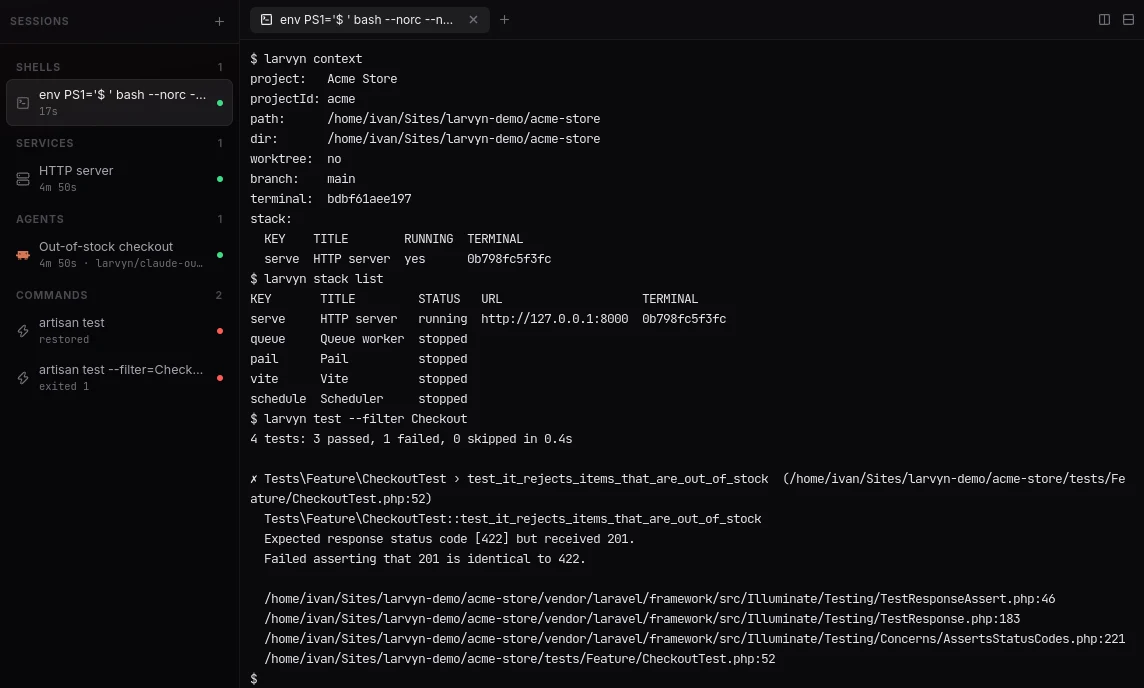
Agents that check their own work.
An agent in a Larvyn terminal has the larvyn command, or the same tools over MCP. It starts the dev stack and waits until it is ready, runs the tests and reads the failures, and reads the log’s errors, all in its own worktree.
-
Agents that start agents
larvyn agents starthands off a task in a new worktree;agents waitreturns its report, or as soon as it needs you. -
Locks for what they share
larvyn lock acquire dbmakes agents take turns before migrating one database. -
Set up onceSettings → Agents know Larvyn installs a skill and a session hook in Claude Code and Codex.
Hand work to an agent from wherever you are.
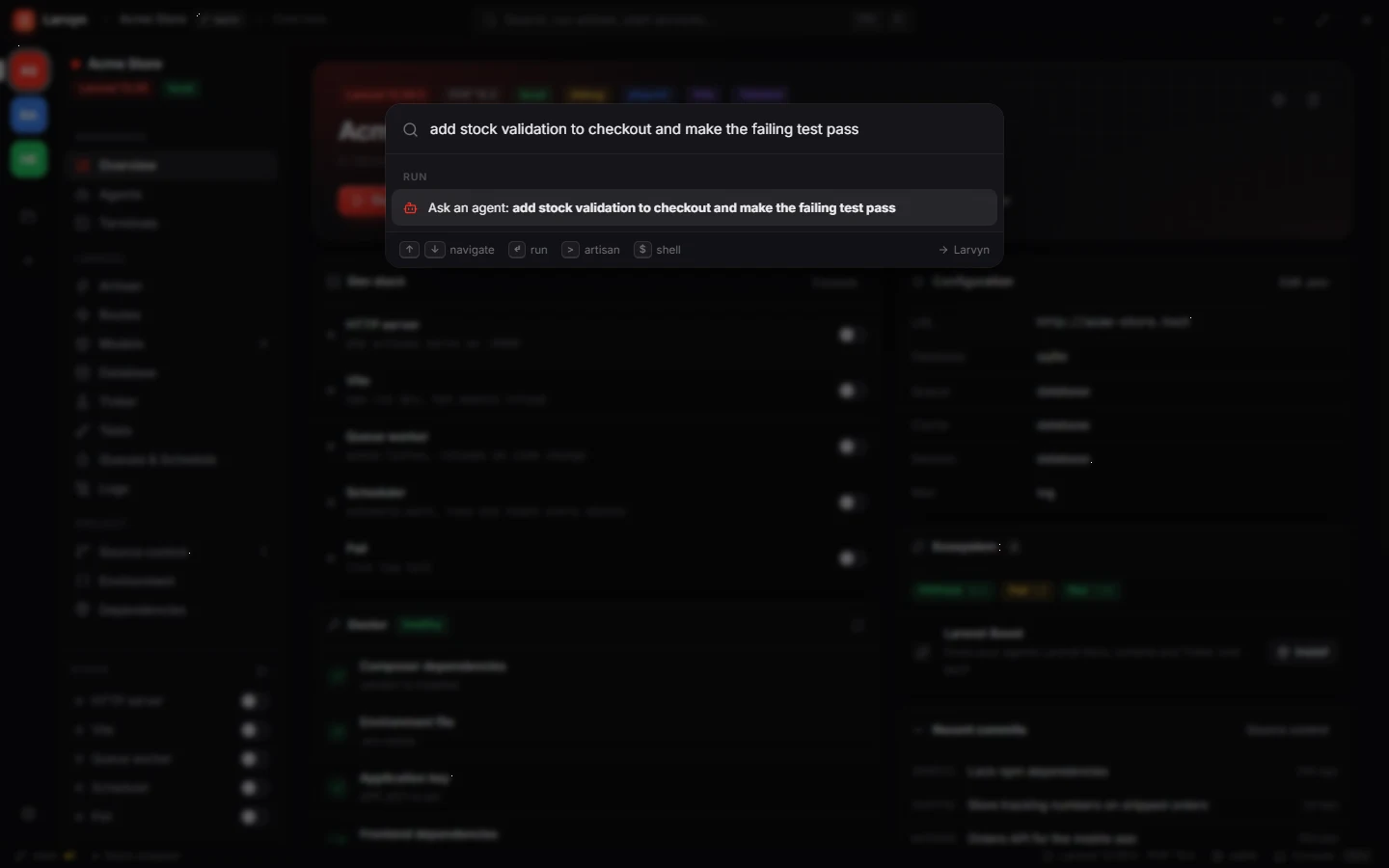
Type a task in Ctrl K and it becomes an agent run. A failing test or a log exception goes to an agent with one click, with its trace attached.
-
Paste screenshotsClaude Code, Codex and similar agents receive the image. Dropped files arrive as quoted paths.
-
Your own agentsAdd a custom command, such as a Claude Code with its own config folder.
-
They survive restartsConversations resume when you open Larvyn again.
Questions
Which coding agents does Larvyn run?
Claude Code, Codex, Antigravity CLI, Cursor Agent, OpenCode, Aider and Pi. Larvyn finds the ones you have installed. You can also add your own in Settings → Agents → Add agent: a name, the built-in agent it works like, a command and its environment.
Do I need a new subscription or API key?
No. Larvyn starts the agent CLIs you already have, in real terminals, so they use your own login and behave exactly as they do in your shell.
Will an agent change my working copy?
Only if you want it to. With worktrees on, each agent gets its own larvyn/<task> branch in a separate folder, with your .env and SQLite database copied. Those copies are never committed. You review the diff and decide what to merge.
What happens to agents when I quit Larvyn?
They come back. Claude Code and Codex resume the same conversation, and OpenCode, Antigravity, Pi and Aider continue the latest one. An agent that can’t resume says why and waits for Relaunch.
Can an agent run the tests or start the dev server itself?
Yes. Every Larvyn terminal has a larvyn command: larvyn stack start vite --wait, larvyn test, larvyn logs errors, larvyn db query and more. larvyn mcp serves the same tools over MCP. See the command reference.
Does it work on projects that aren’t Laravel?
Yes. Agents, worktrees and the review panel work in any git repository. Laravel projects also get playbooks and one-click Laravel Boost.
More of Larvyn

Give your next task to three agents.
Larvyn is free, with no account. It runs the agent CLIs you already have.