Built for Laravel.
Ready for your other repos.
Most Laravel developers also keep a JavaScript front end, a service in another language or a few scripts. Add those folders to Larvyn too. They get the same terminals, agents and git, in the same window as your Laravel app.
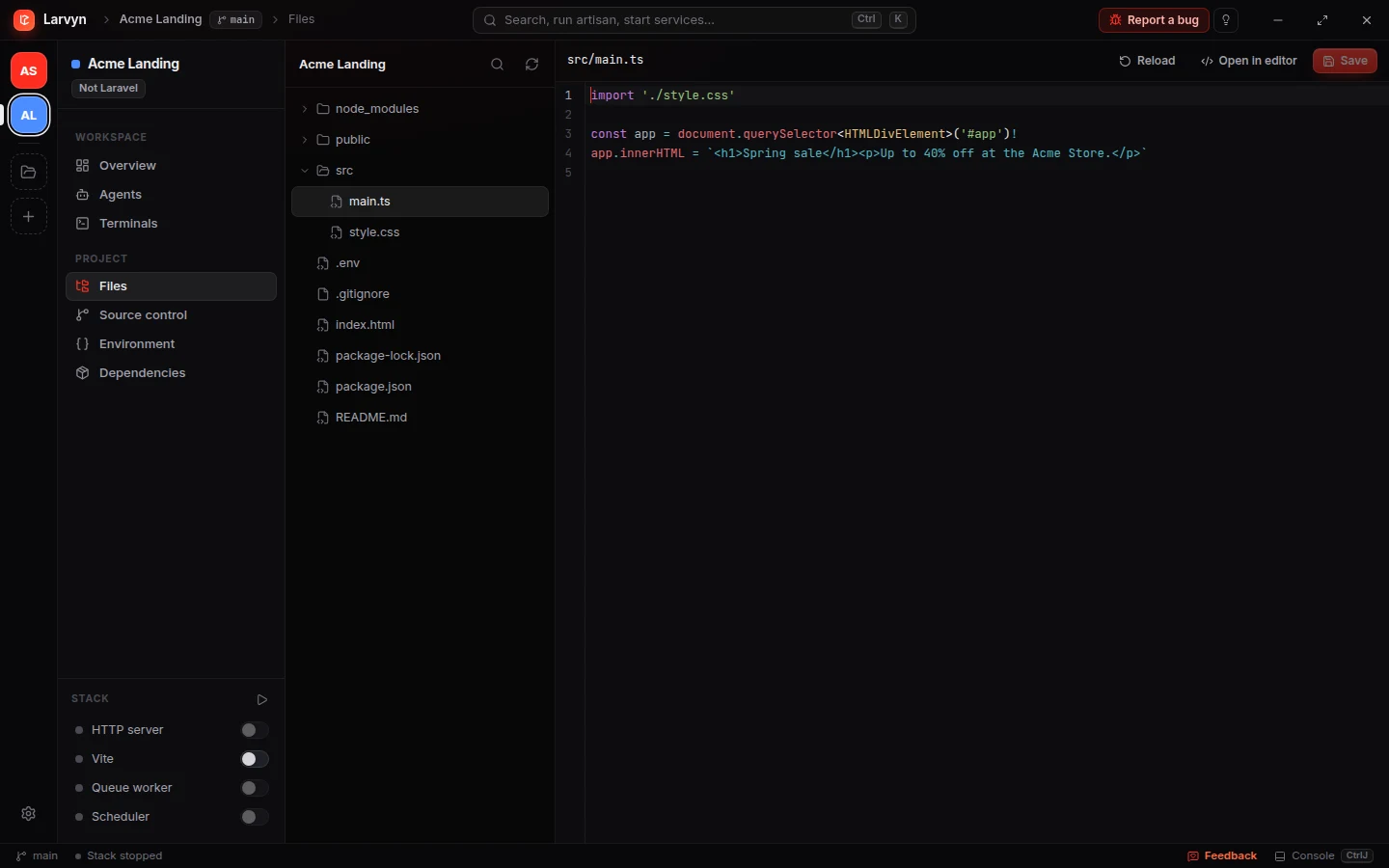
What works in any folder.
Next.js, Nuxt, Node, Go, Python, Rust, Symfony, WordPress or a folder of shell scripts.
Persistent terminals
Real PTY sessions that keep running and keep their scrollback when you switch views or projects.
Parallel coding agents
Claude Code, Codex, Cursor Agent, OpenCode, Aider, Pi and Antigravity CLI, each in its own git worktree.
Source control
Status, diffs, commits, branches and worktrees.
Files & finder
The project tree, an editor with highlighting for many languages, and Ctrl P.
.env editor
Safe edits, with a backup kept before every save.
npm run dev in the Stack
When package.json has a dev script, it starts from the Stack switch.
Composer packages & audit
Outdated packages and known CVEs, when the folder has a composer.json.
Command palette
Shell commands, plugin commands and agent tasks from Ctrl K.
Plugins
Plugin commands and stack items, such as Mailpit next to your dev server.
Workspace restore
Terminals, agents and services come back after a restart.
Switch from the API to the front end without switching apps.
Every project sits in the rail on the left. Its terminals, agents and services keep running while you work in another one, and Ctrl ⇧ ] jumps to the next project.
-
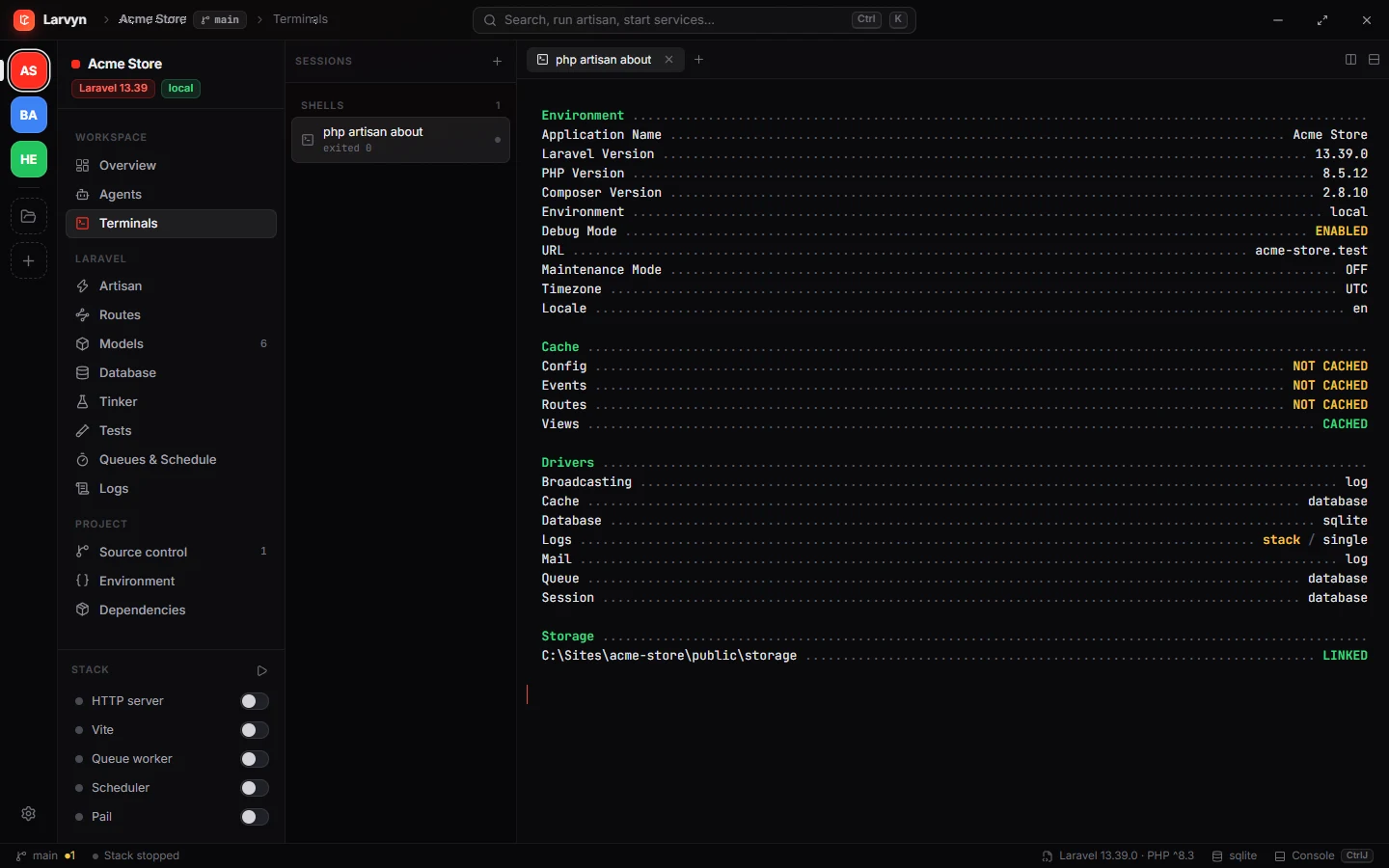
Laravel projects get everythingArtisan, routes, models, database, Tinker, tests, queues and logs.
-
Other projects get the workbenchTerminals, agents, git, files and the Stack, without Laravel views in the way.
Questions
What happens when I add a folder that isn’t Laravel?
Larvyn marks it Not Laravel and hides the Laravel-only views (Artisan, routes, models, database, Tinker, tests, queues and logs) from the sidebar and the command palette. Everything else keeps working.
Which languages and frameworks does it support?
Any. Terminals, agents, git and files don’t depend on the language, so a Next.js app, a Go service, a Python script or a WordPress theme all work. The dedicated views for routes, models, tests, logs and the database are Laravel only.
Can my dev server run in the Stack?
If package.json has a dev script, npm run dev appears in the Stack with the same toggle, output and restart as the Laravel services. Plugins can add other stack items.
Is it still free?
Yes. Larvyn is free for every project, with no account.
More of Larvyn

One window for every repo you work on.
Larvyn is free, with no account. Install it with one command and add a folder.